Inside the product

Surplus Funds Screenshots

What the Surplus Funds CRM looks like, screen by screen: the dashboard, leads, cases, the power dialer, texts and email, e-signatures, Ivy AI, Desk, skip tracing, direct mail and the mobile app. Every screenshot shows demo data, not real people.

Surplus Funds CRM dashboard
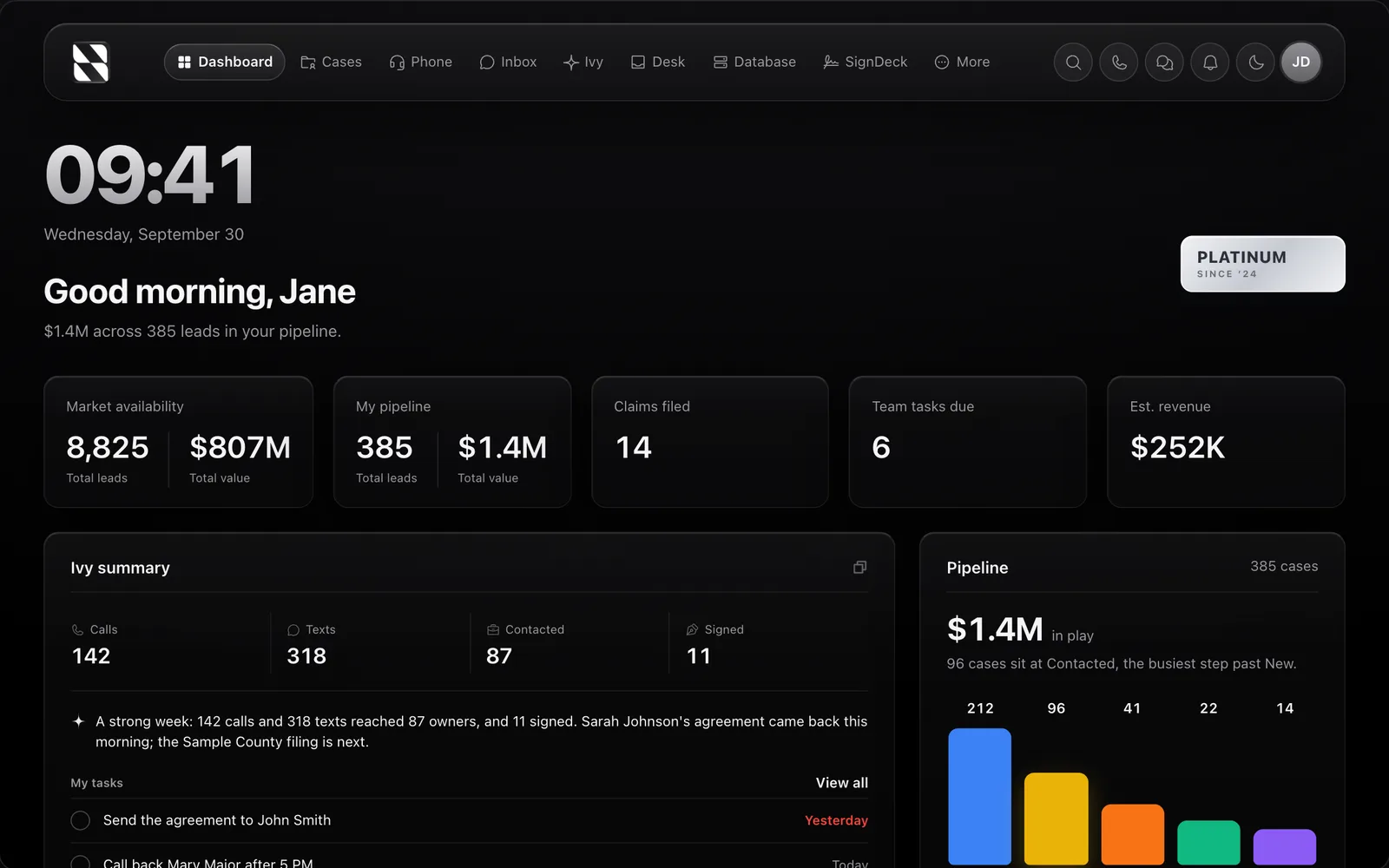
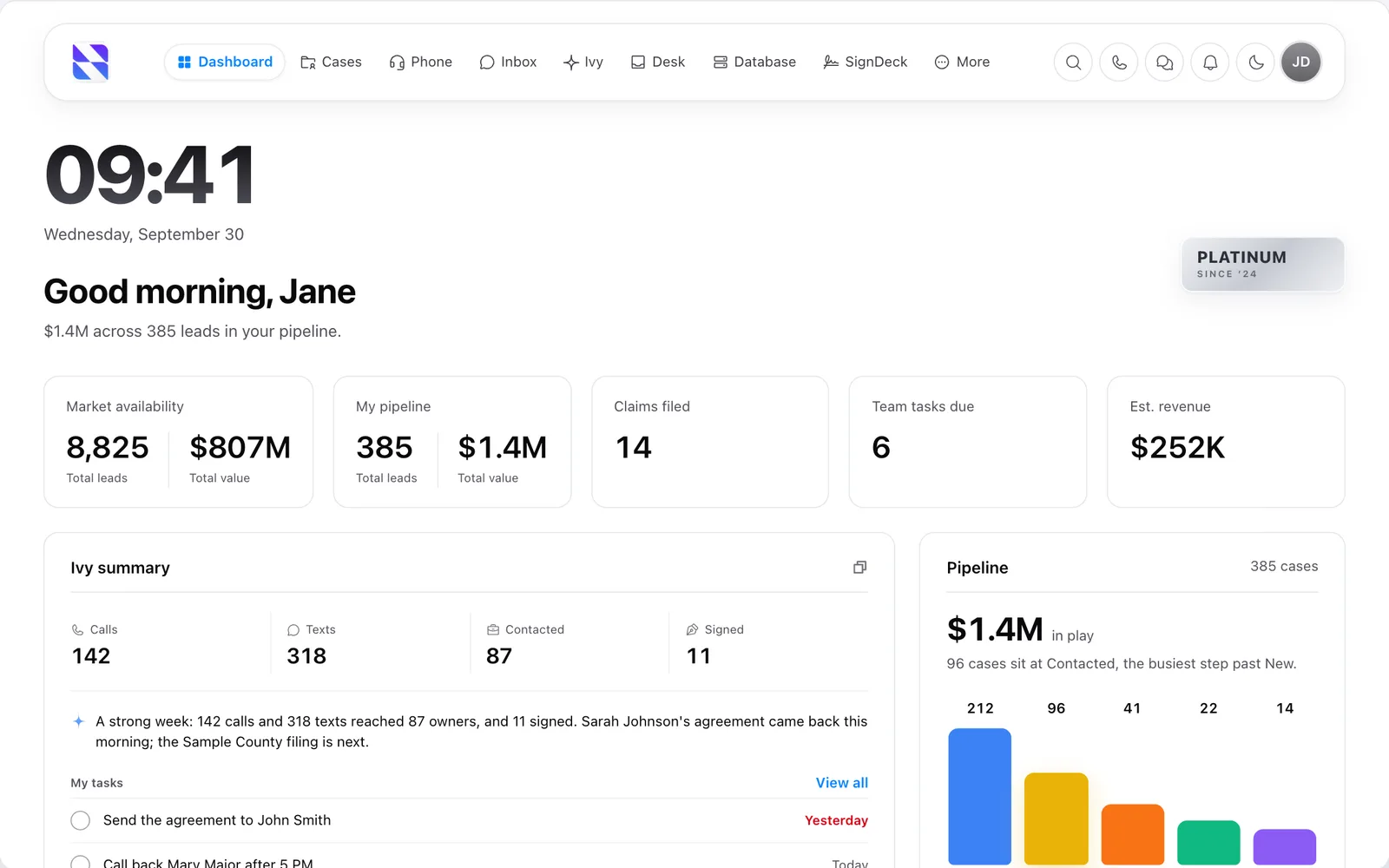
Surplus Funds CRM dashboard with pipeline value, claims filed, estimated revenue, an Ivy AI weekly summary and cases by stageSurplus Funds CRM dashboard with pipeline value, claims filed, estimated revenue, an Ivy AI weekly summary and cases by stage (light mode)
The Surplus Funds dashboard: market availability, your pipeline, claims filed, team tasks and estimated revenue at a glance, with an Ivy AI summary of the week and a chart of cases by stage. Demo data.

The CRM

Surplus Funds leads database

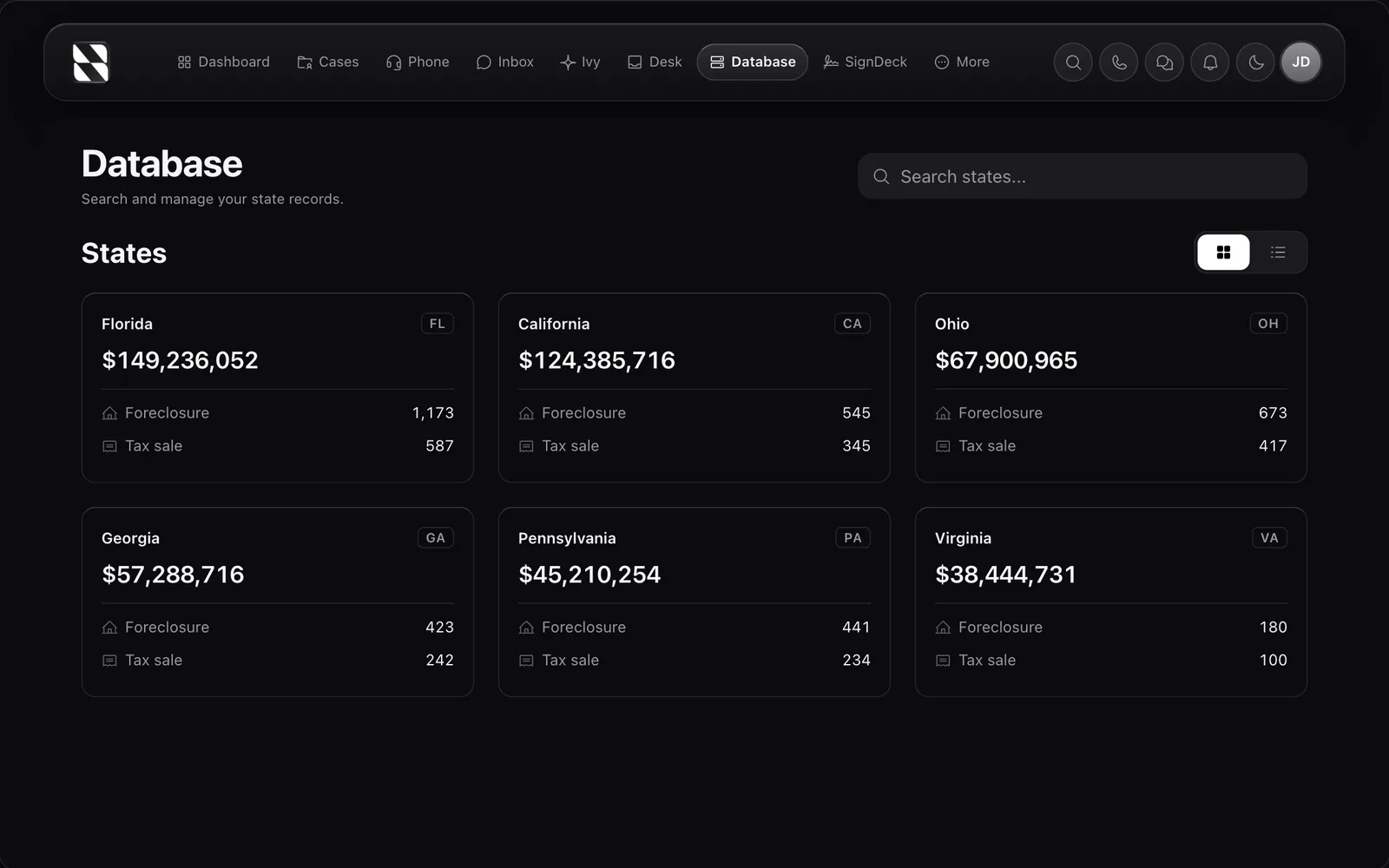
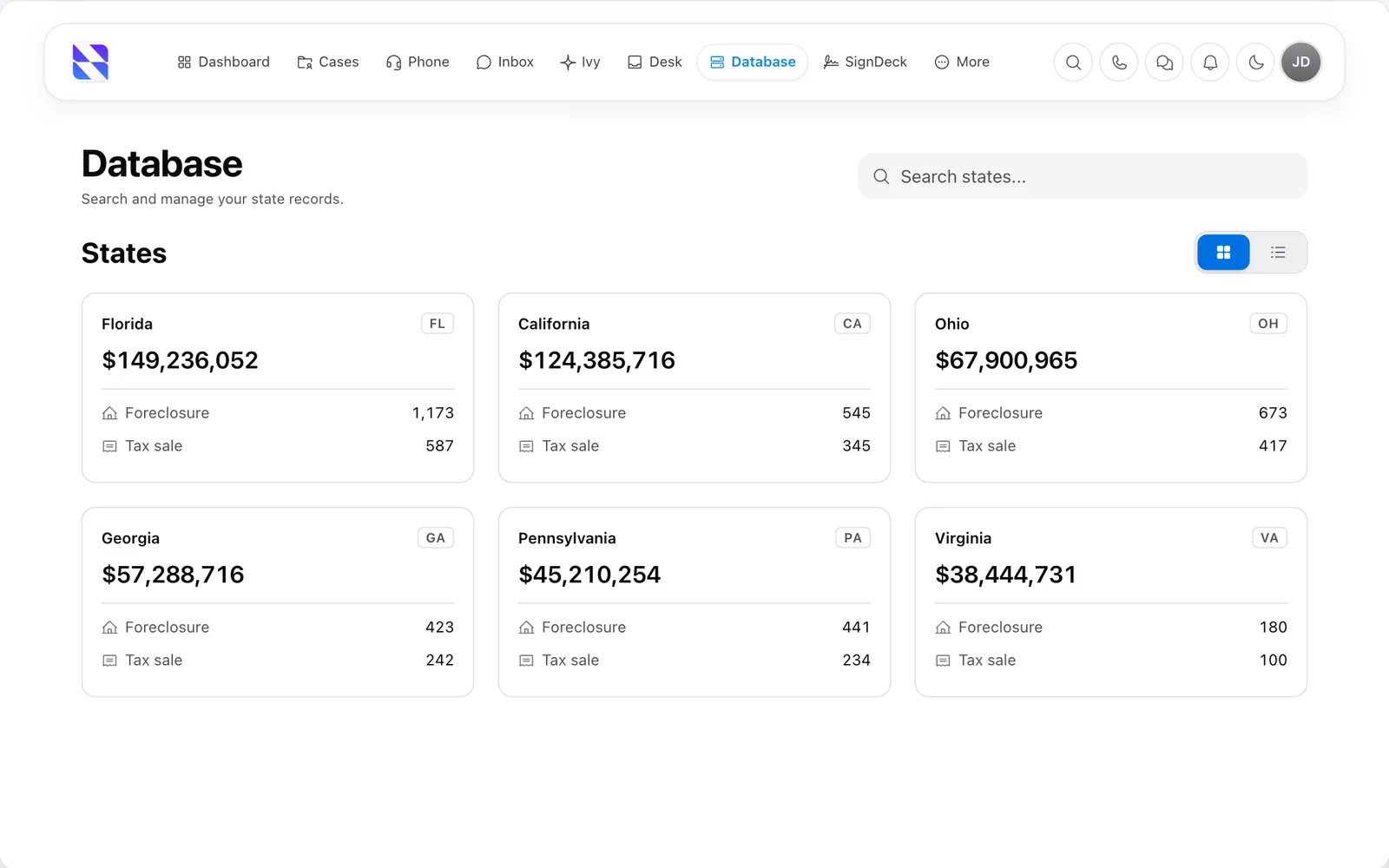
Surplus Funds leads database showing the surplus funds total for each state with foreclosure and tax sale lead countsSurplus Funds leads database showing the surplus funds total for each state with foreclosure and tax sale lead counts (light mode)
The Surplus Funds leads database. Each state shows the surplus on file and how many leads come from foreclosures and from tax sales. Demo figures.

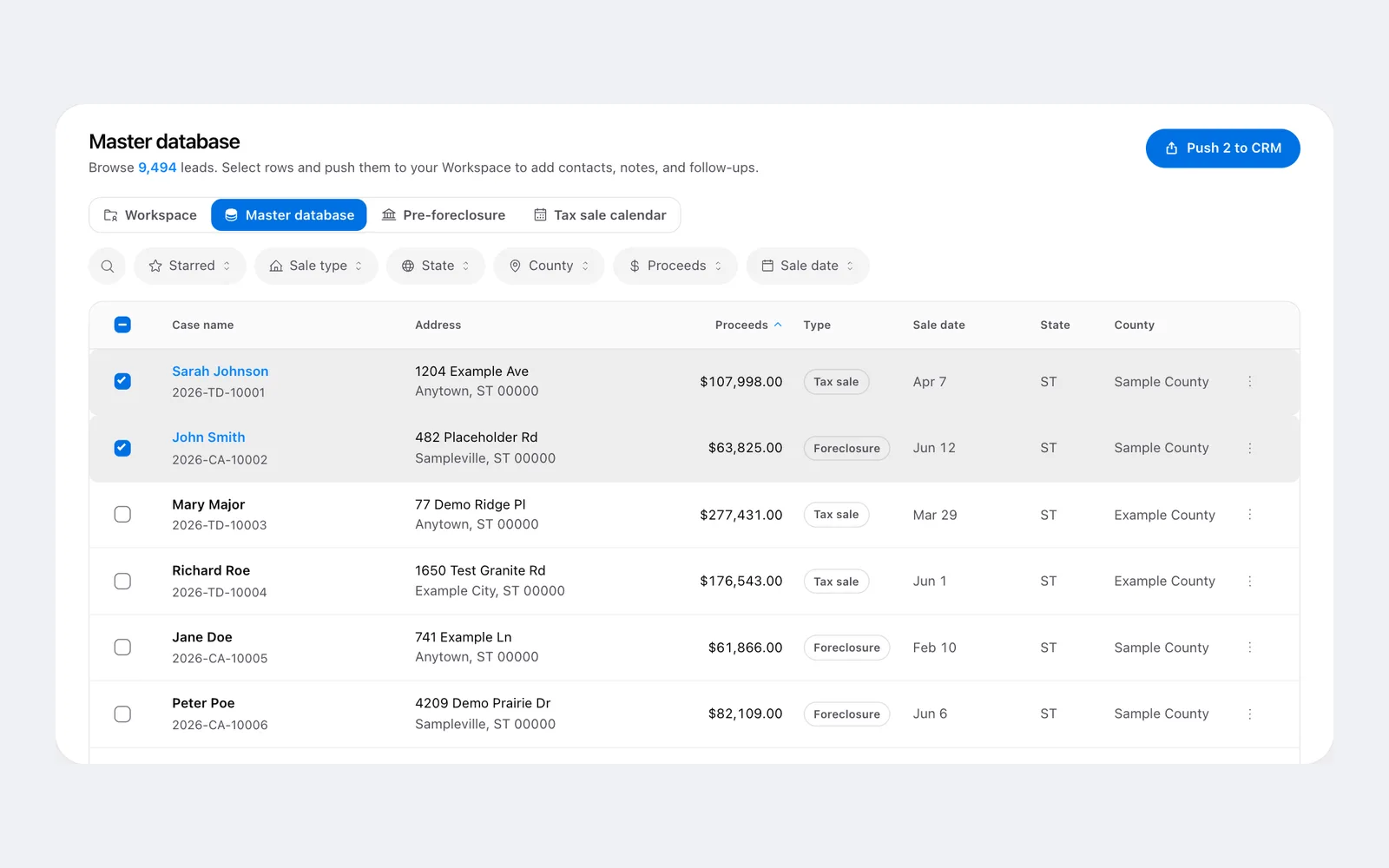
The leads database

The leads database

Surplus Funds CRM case list

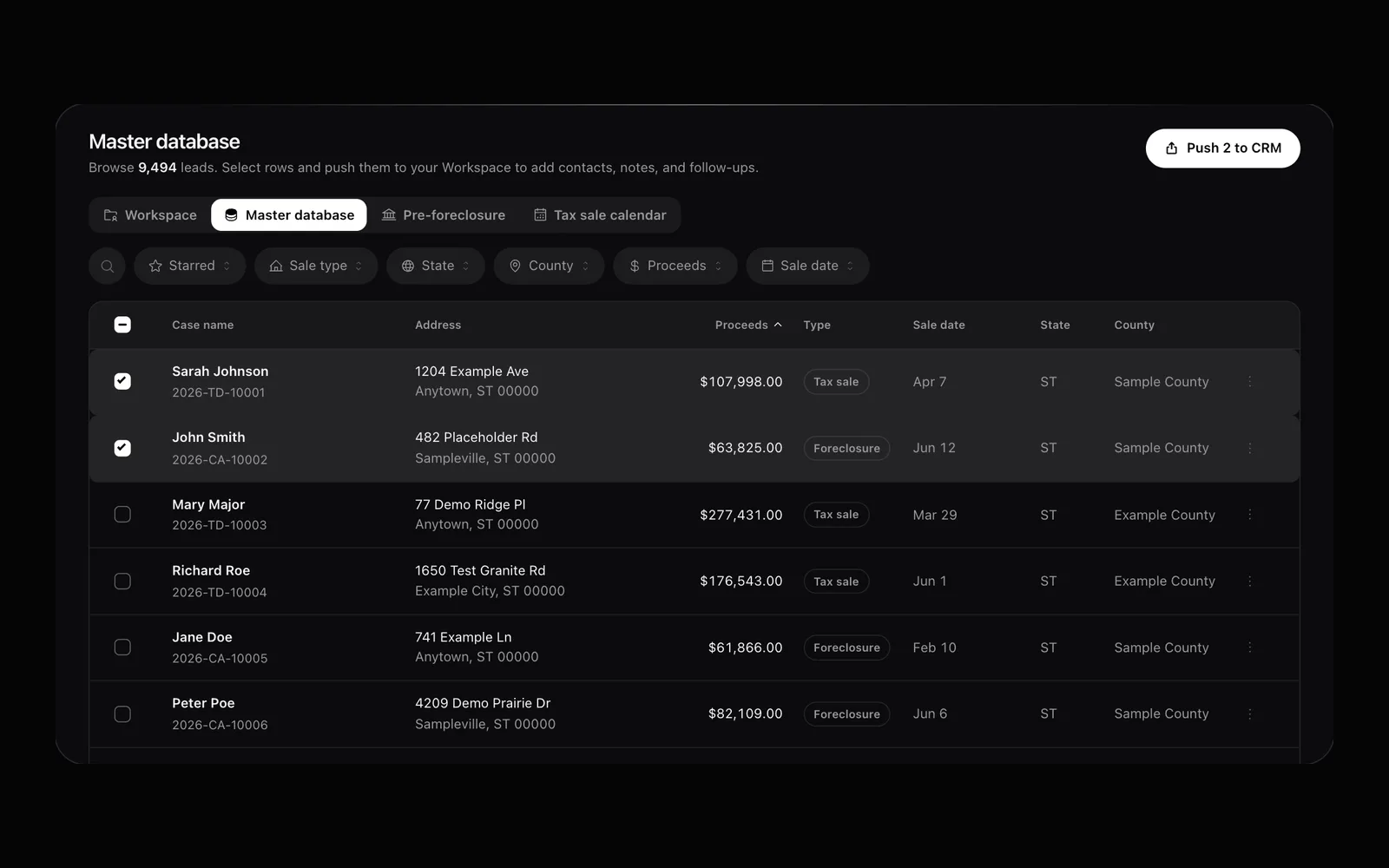
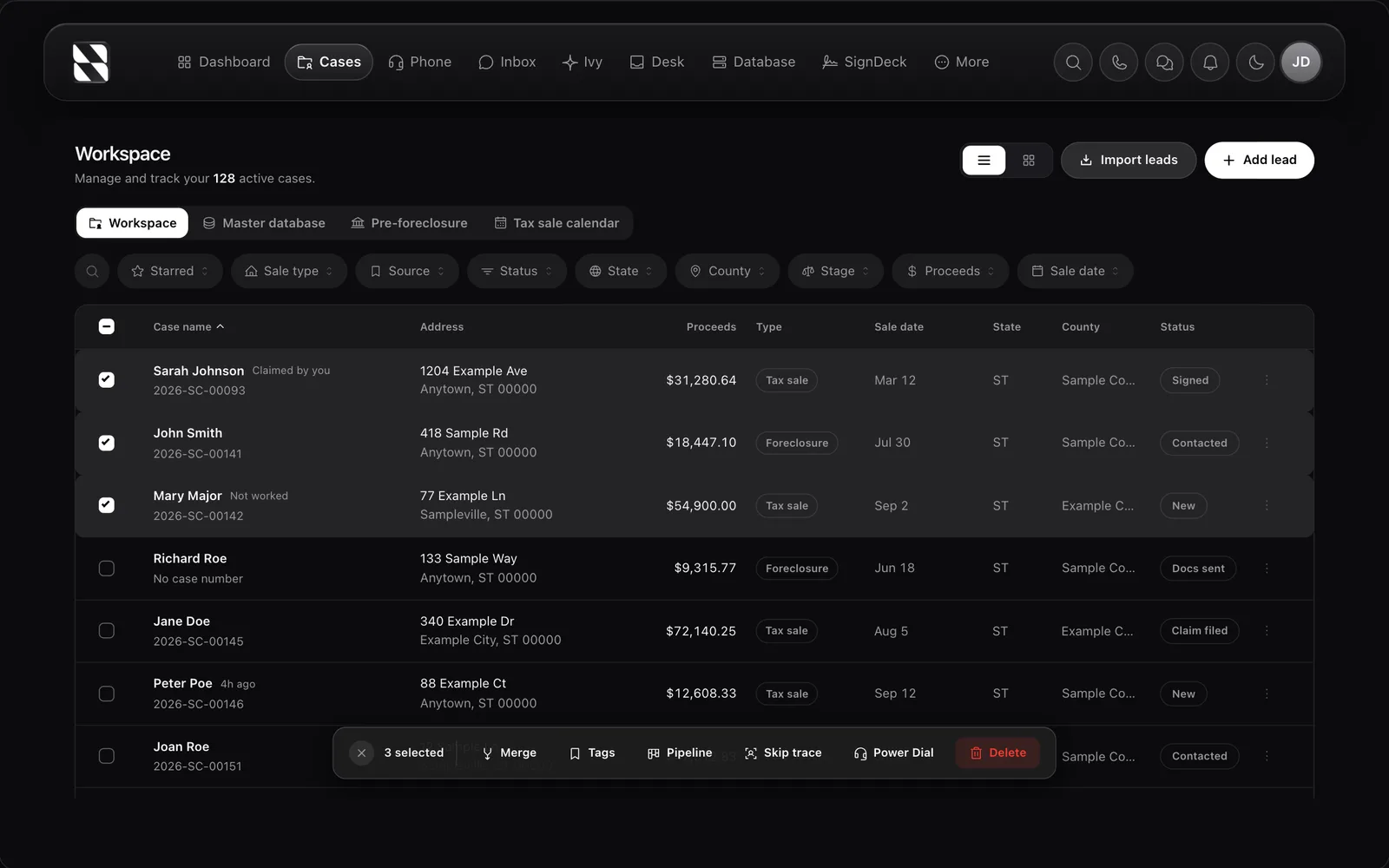
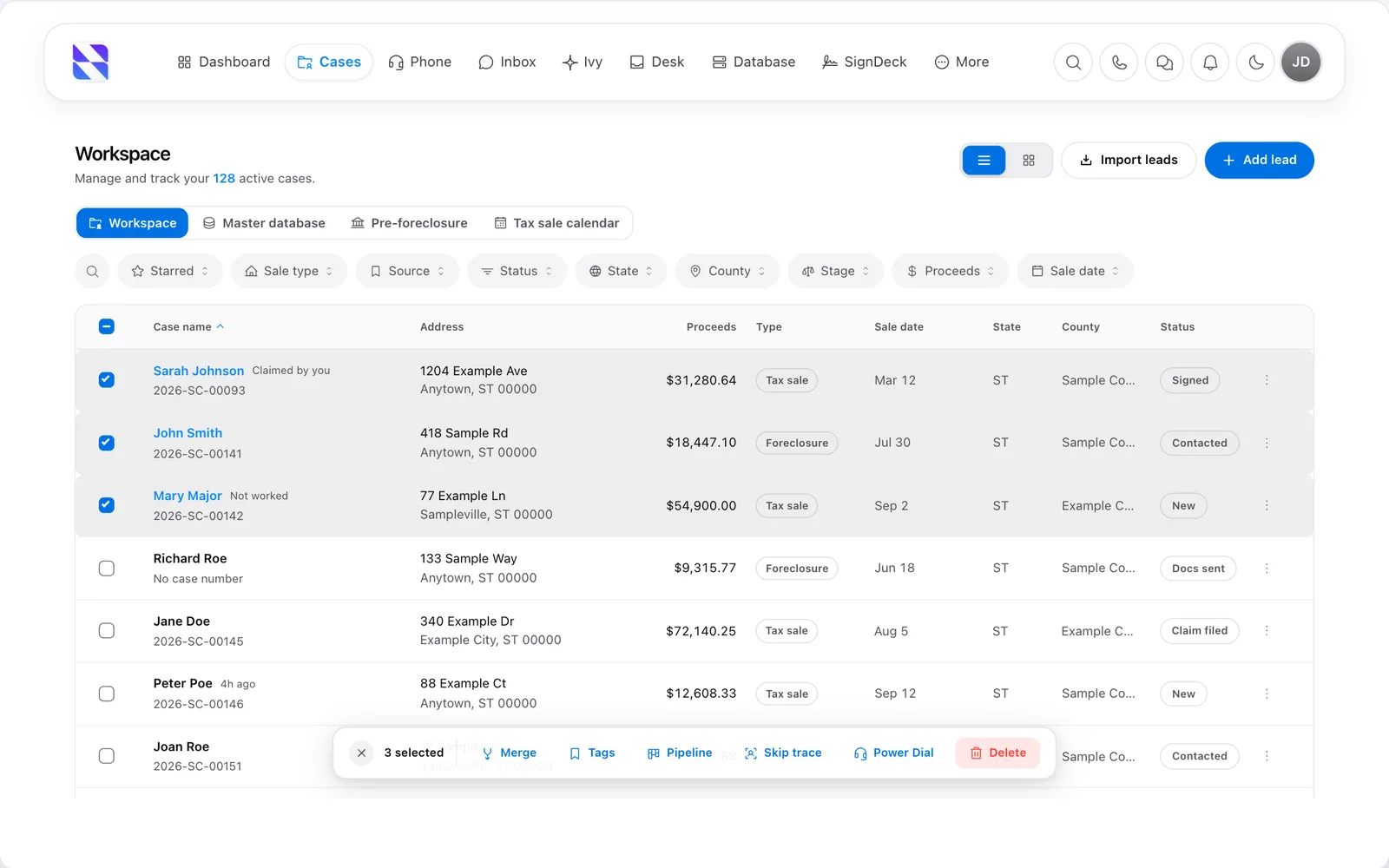
Surplus Funds CRM case list showing proceeds, sale type, sale date, county and stage for each surplus funds caseSurplus Funds CRM case list showing proceeds, sale type, sale date, county and stage for each surplus funds case (light mode)
The Surplus Funds case workspace. Every case carries its surplus amount, sale type, sale date, county and stage, with bulk actions to skip trace, move through the pipeline or start a power dial. Demo data.

The CRM

Surplus Funds CRM case view

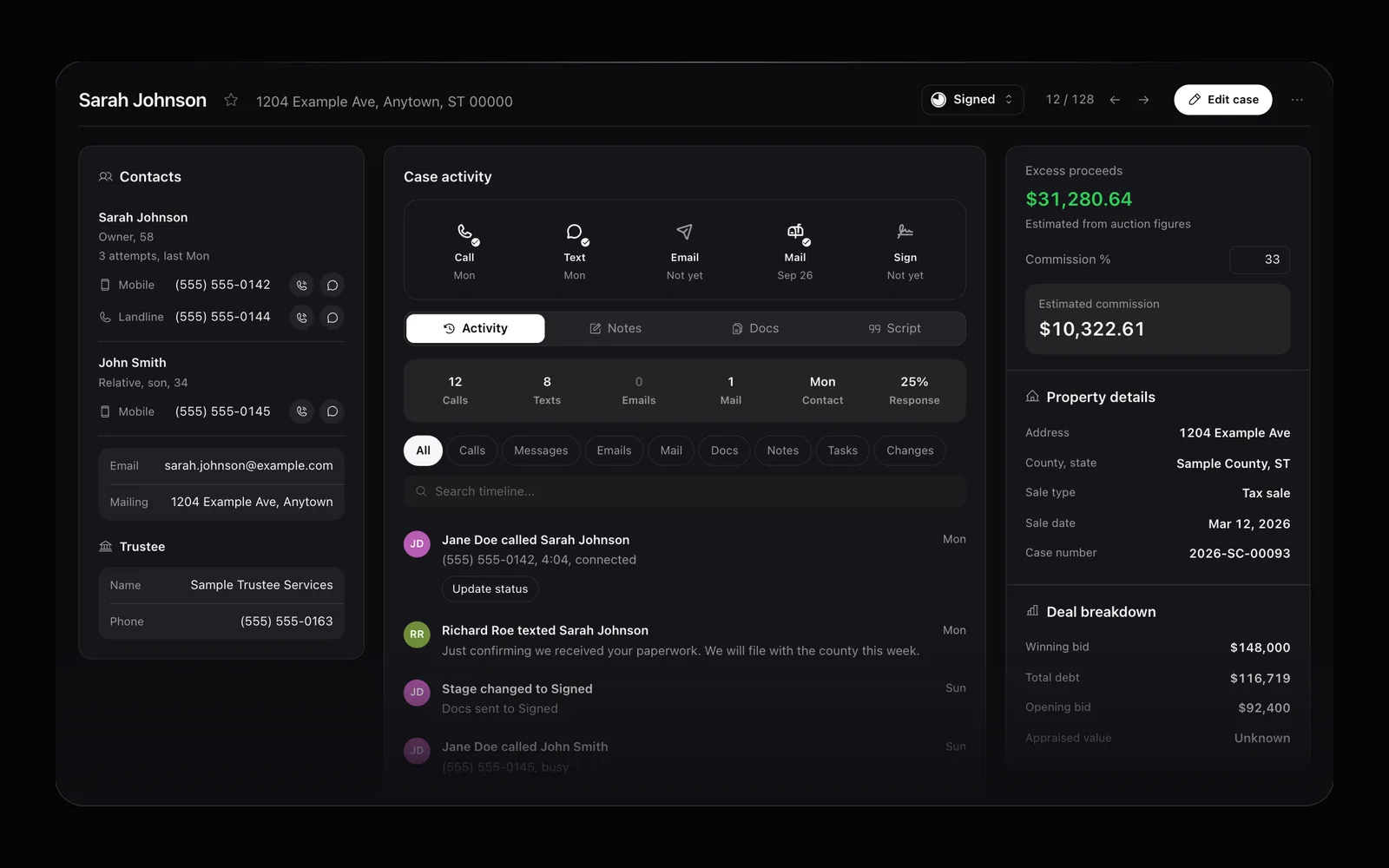
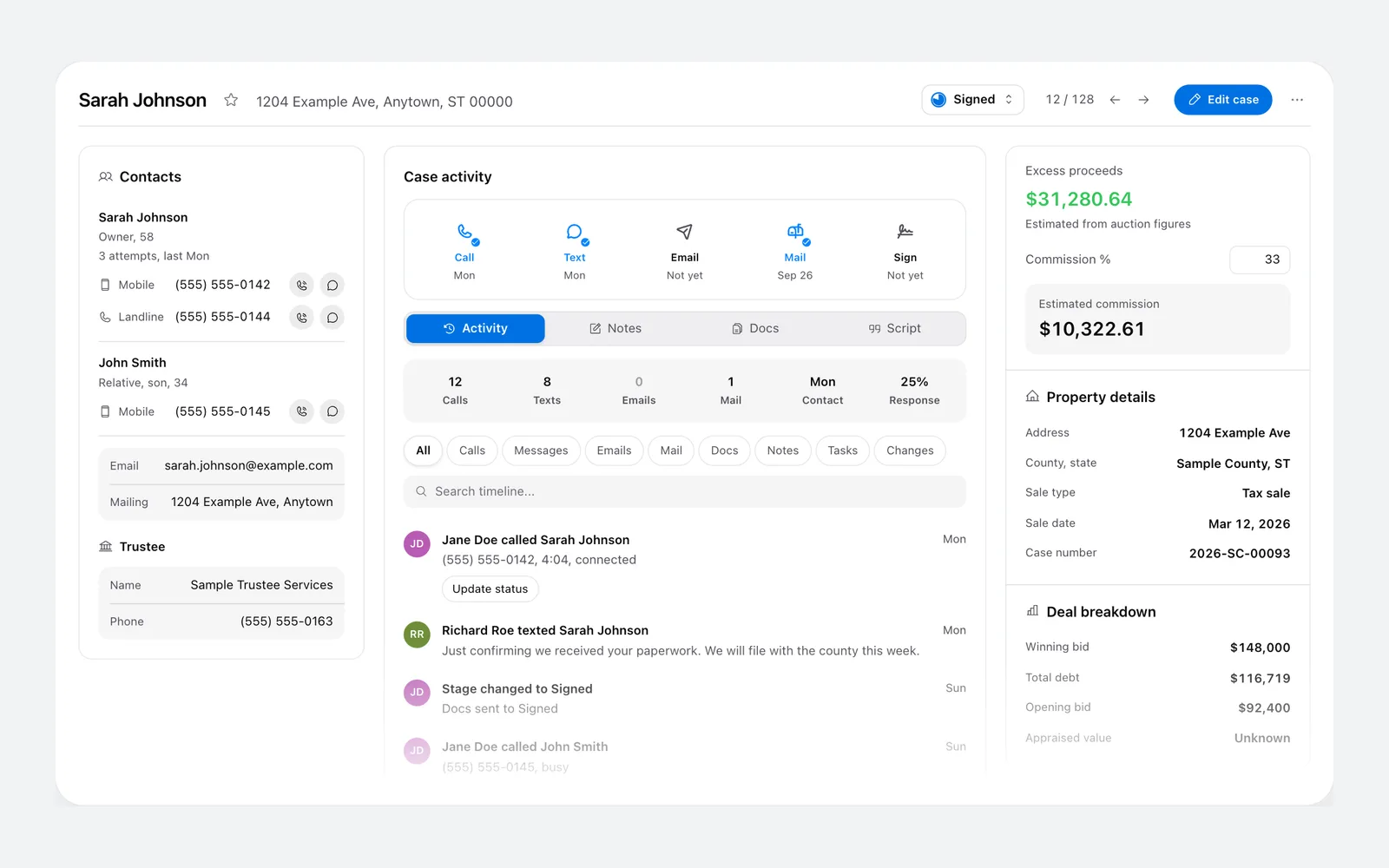
A surplus funds case in Surplus Funds CRM with contacts, activity timeline, excess proceeds, commission and sale figuresA surplus funds case in Surplus Funds CRM with contacts, activity timeline, excess proceeds, commission and sale figures (light mode)
One case in Surplus Funds: the owner and relatives with their numbers, every call, text and letter on one timeline, the estimated excess proceeds with your commission, and the sale figures. Demo data.

The CRM

Surplus Funds power dialer

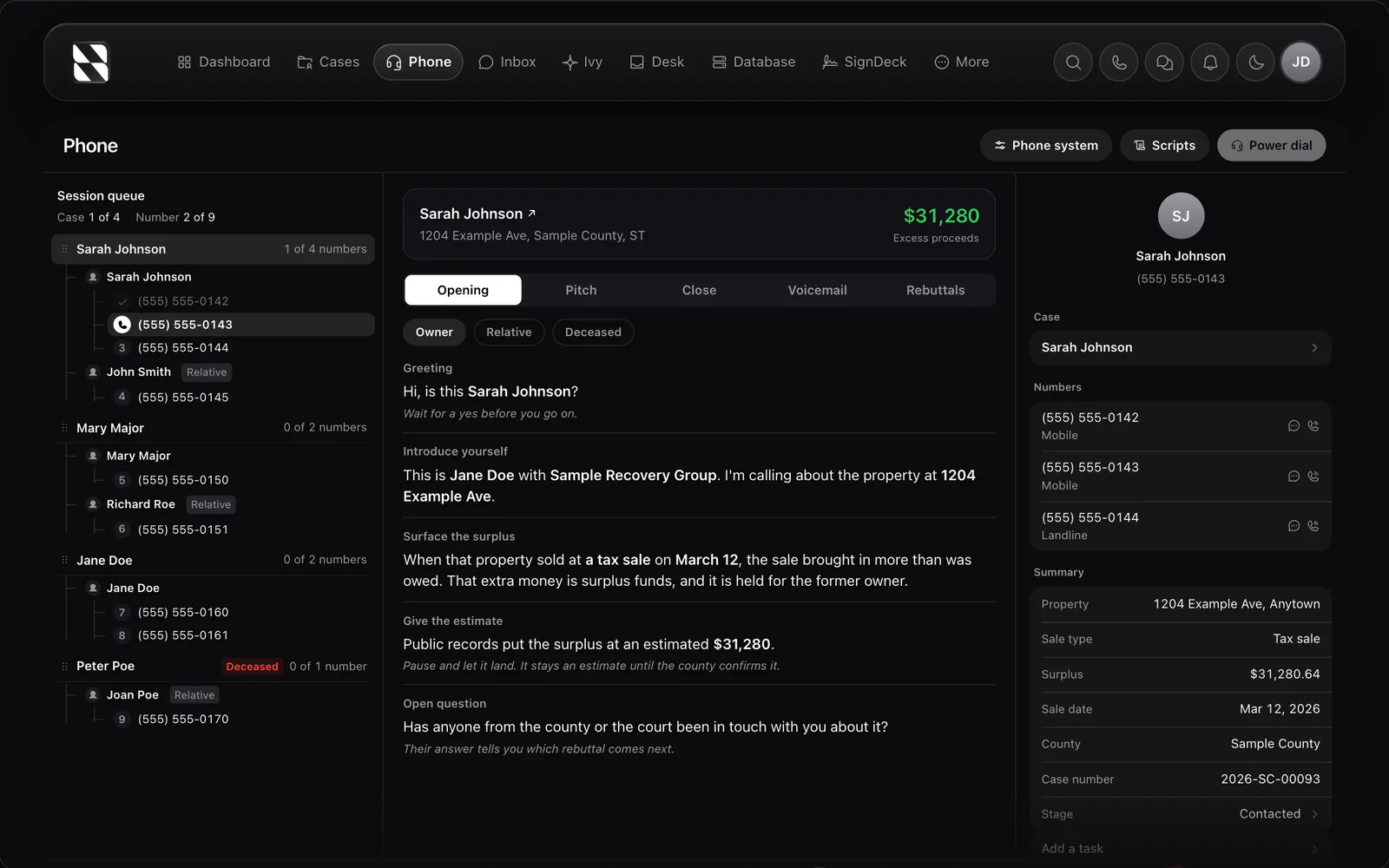
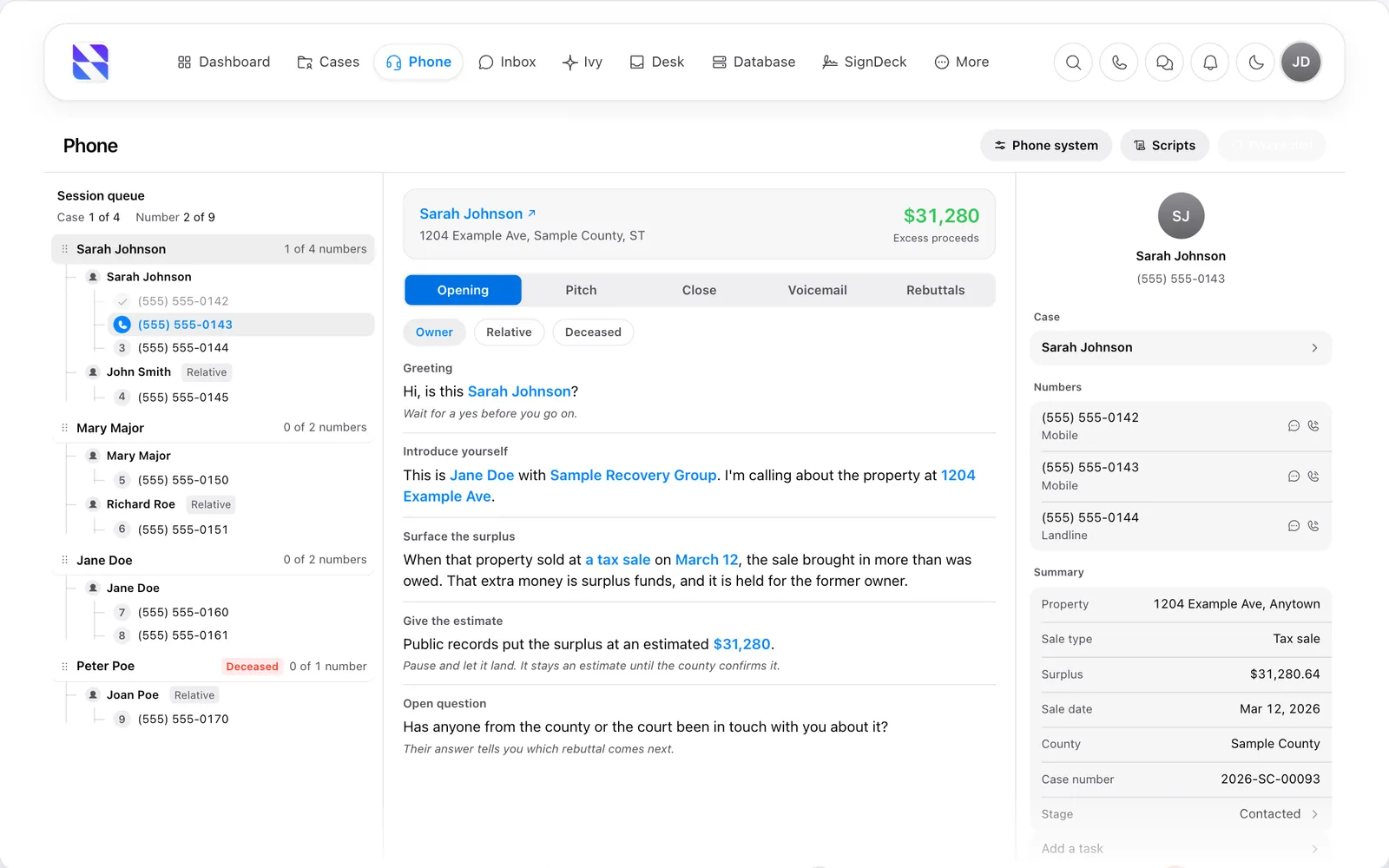
Surplus Funds power dialer with a queue of owners and relatives, a call script and the case summarySurplus Funds power dialer with a queue of owners and relatives, a call script and the case summary (light mode)
The Surplus Funds power dialer works through a queue of owners and relatives, with the call script in the middle and the case summary beside it. Demo data.

The power dialer

Surplus Funds SMS inbox
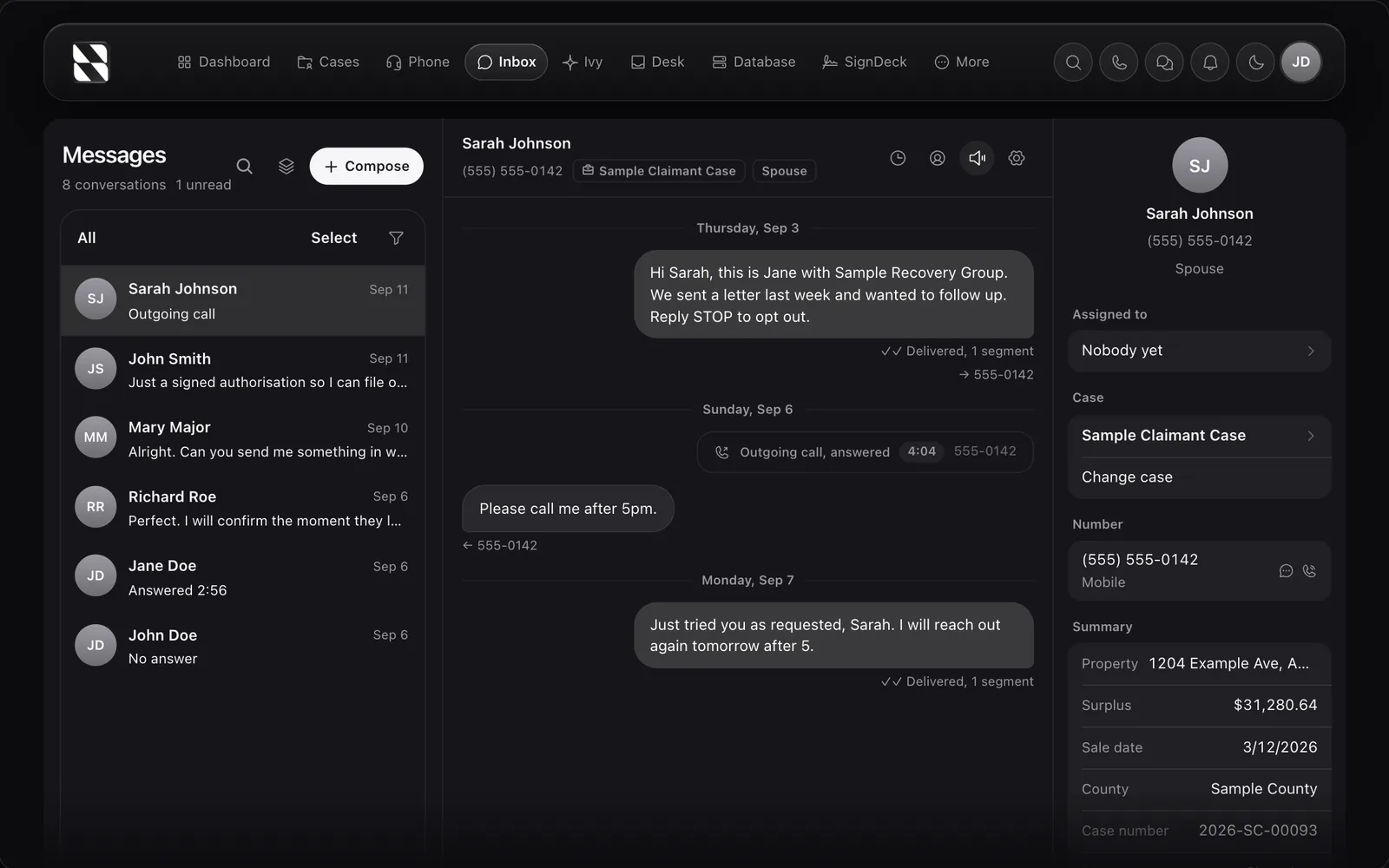
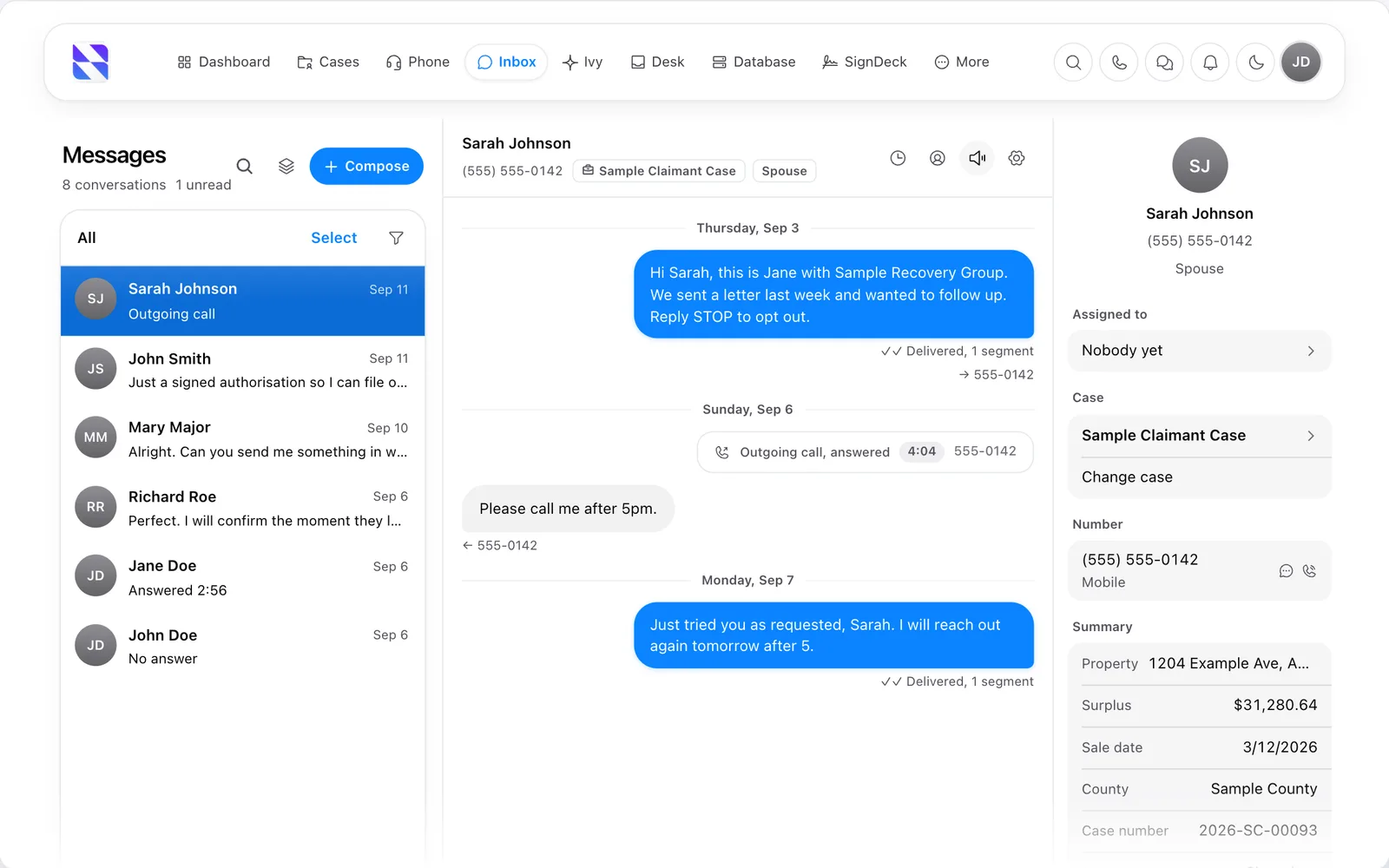
Surplus Funds SMS inbox with a text conversation and call log threaded on a surplus funds caseSurplus Funds SMS inbox with a text conversation and call log threaded on a surplus funds case (light mode)
Texts and calls with each claimant in the Surplus Funds inbox, threaded on the case with the surplus amount, sale date and county alongside. Demo data.

SMS

Surplus Funds text campaign builder
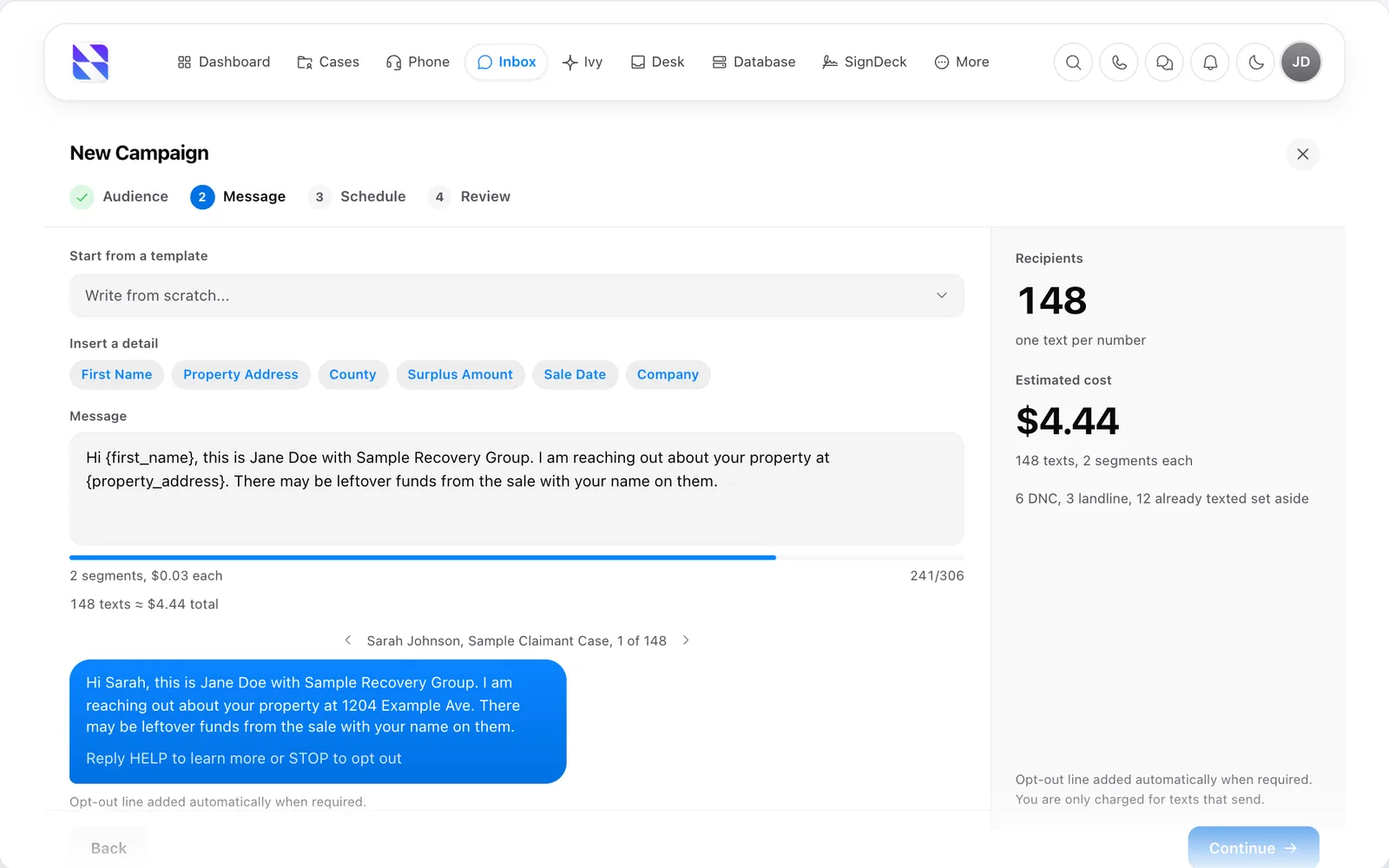
Surplus Funds text campaign builder with merge fields, a message preview, the recipient count and the estimated costSurplus Funds text campaign builder with merge fields, a message preview, the recipient count and the estimated cost (light mode)
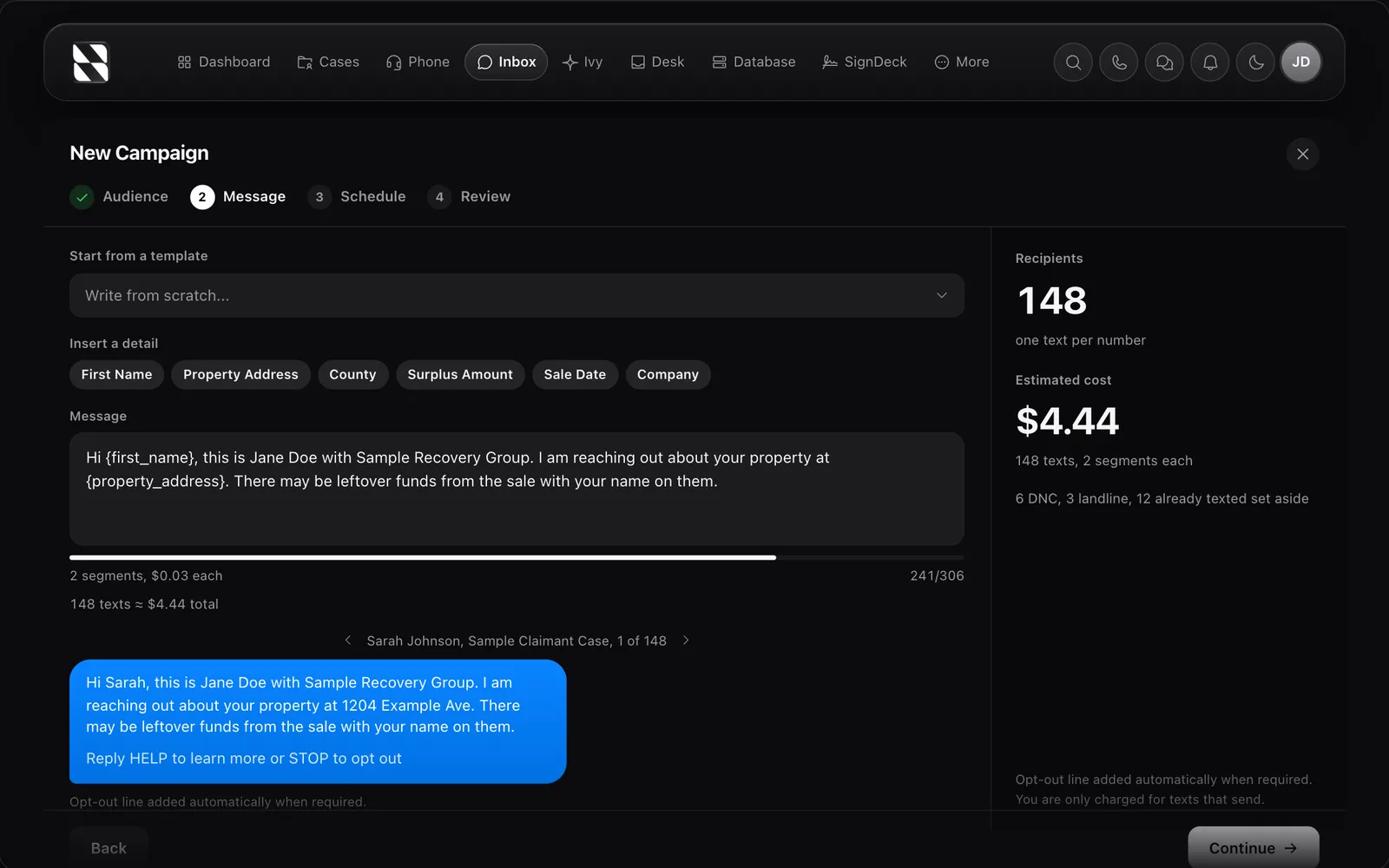
Building a text campaign in Surplus Funds. Merge fields fill in each owner's name and property, the preview shows the opt-out line, and Do Not Call and landline numbers are set aside before anything sends. Demo data.

SMS

Surplus Funds email inbox

Surplus Funds email inbox with an email thread grouped under a surplus funds case and the case details alongsideSurplus Funds email inbox with an email thread grouped under a surplus funds case and the case details alongside (light mode)
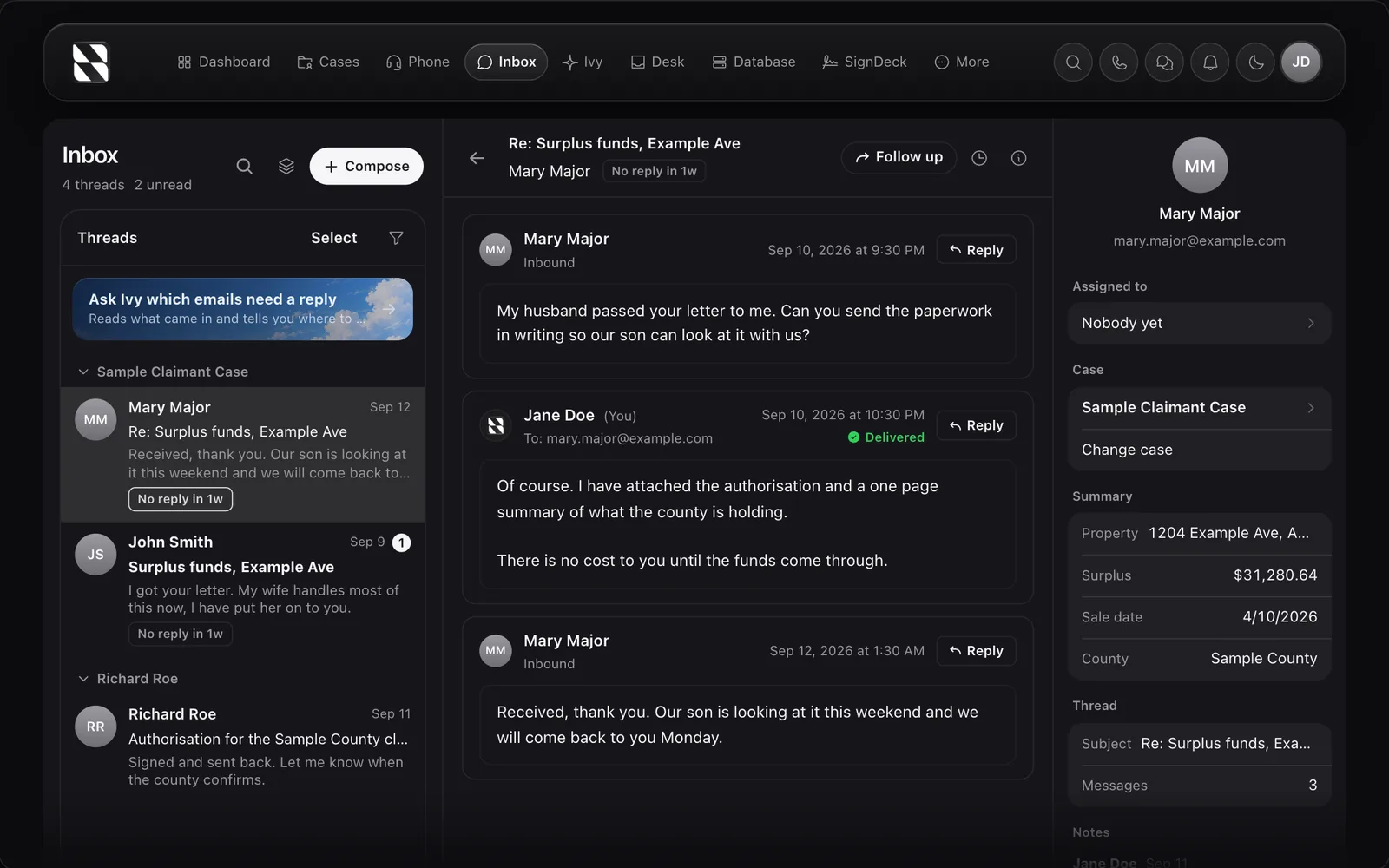
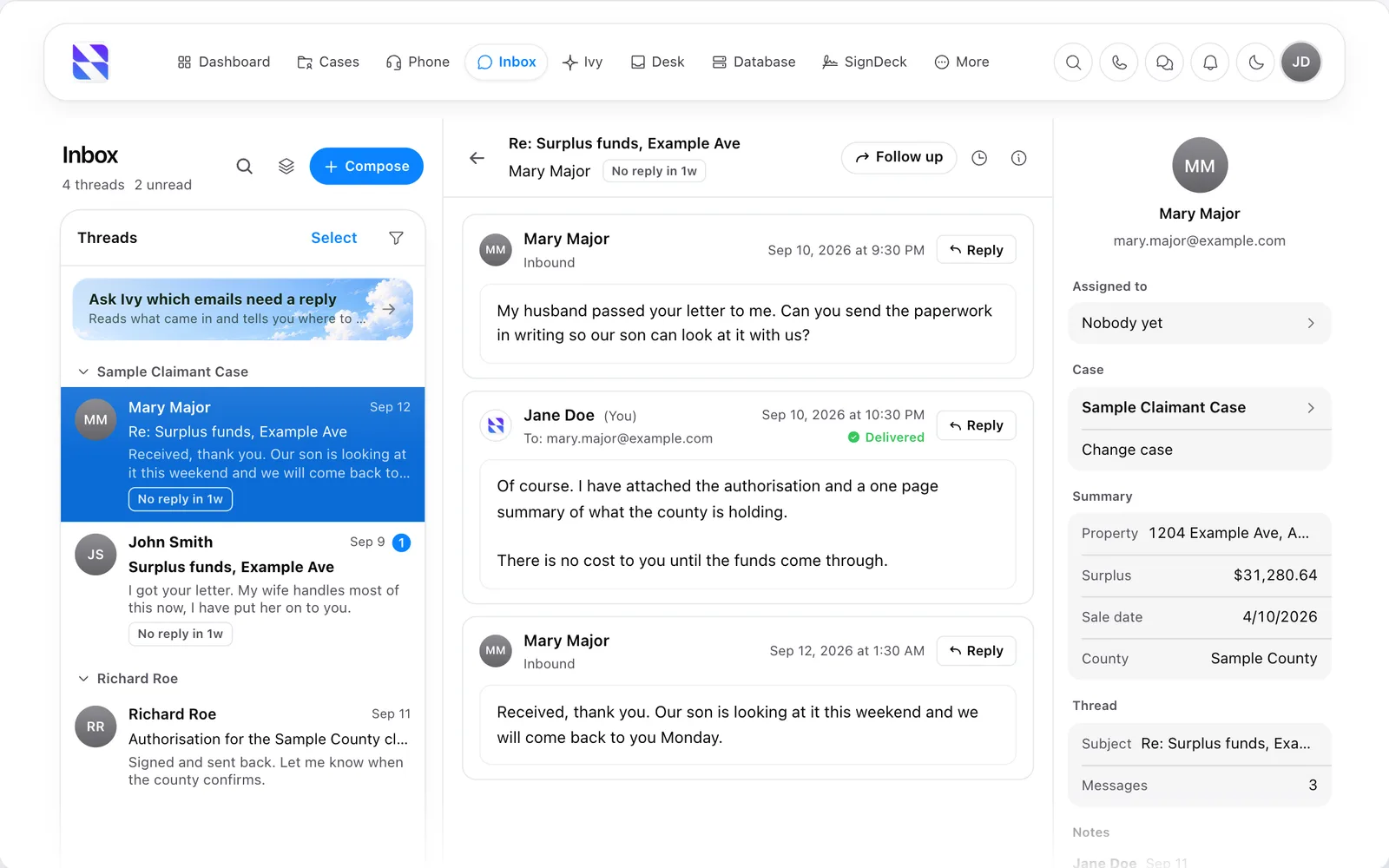
Email in Surplus Funds. Your mailbox syncs into the CRM, threads group under the case, and Ivy points out which emails still need a reply. Demo data.

Email

Surplus Funds SignDeck e-signatures
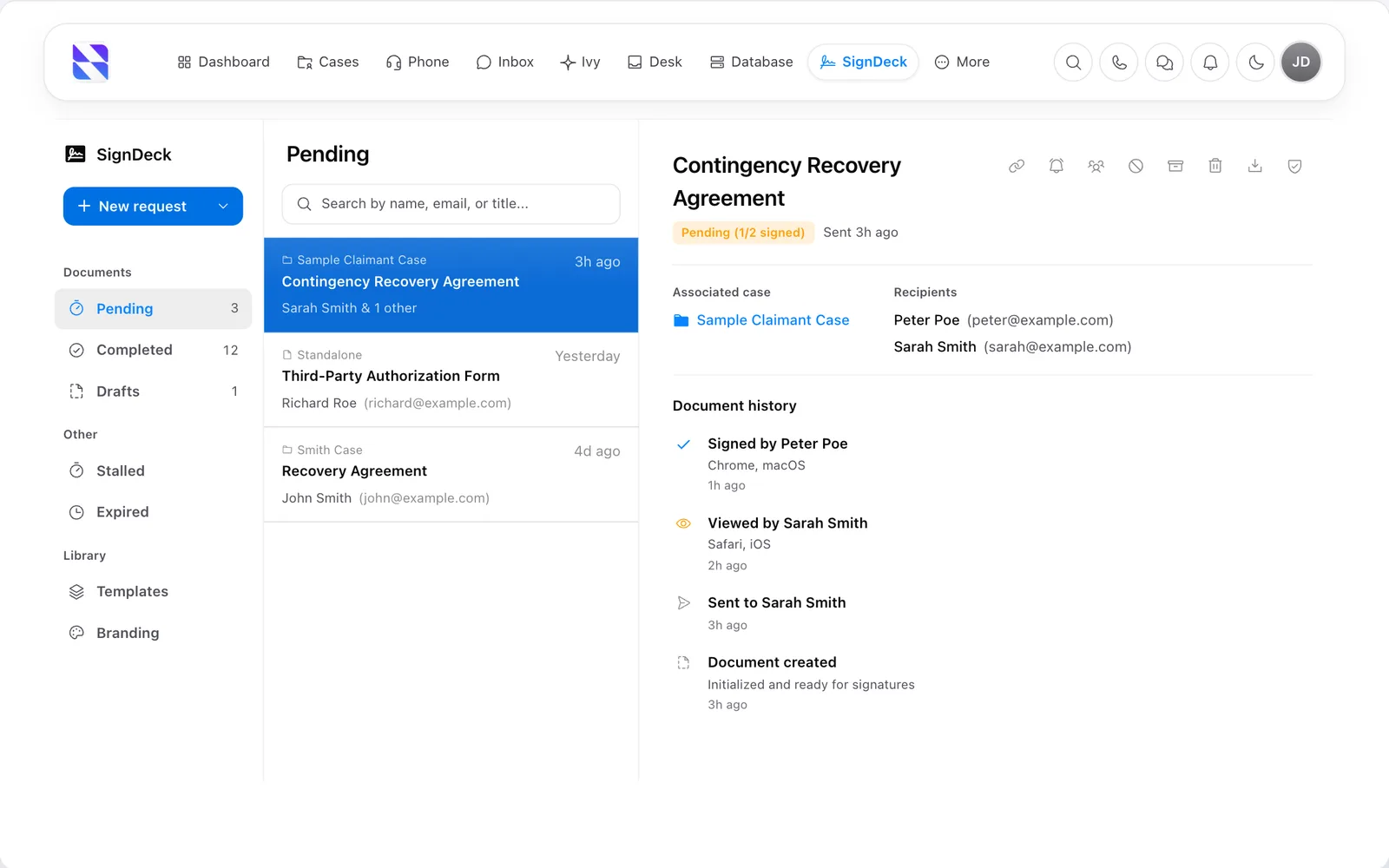
Surplus Funds SignDeck e-signature screen with a contingency recovery agreement pending signature and its document historySurplus Funds SignDeck e-signature screen with a contingency recovery agreement pending signature and its document history (light mode)
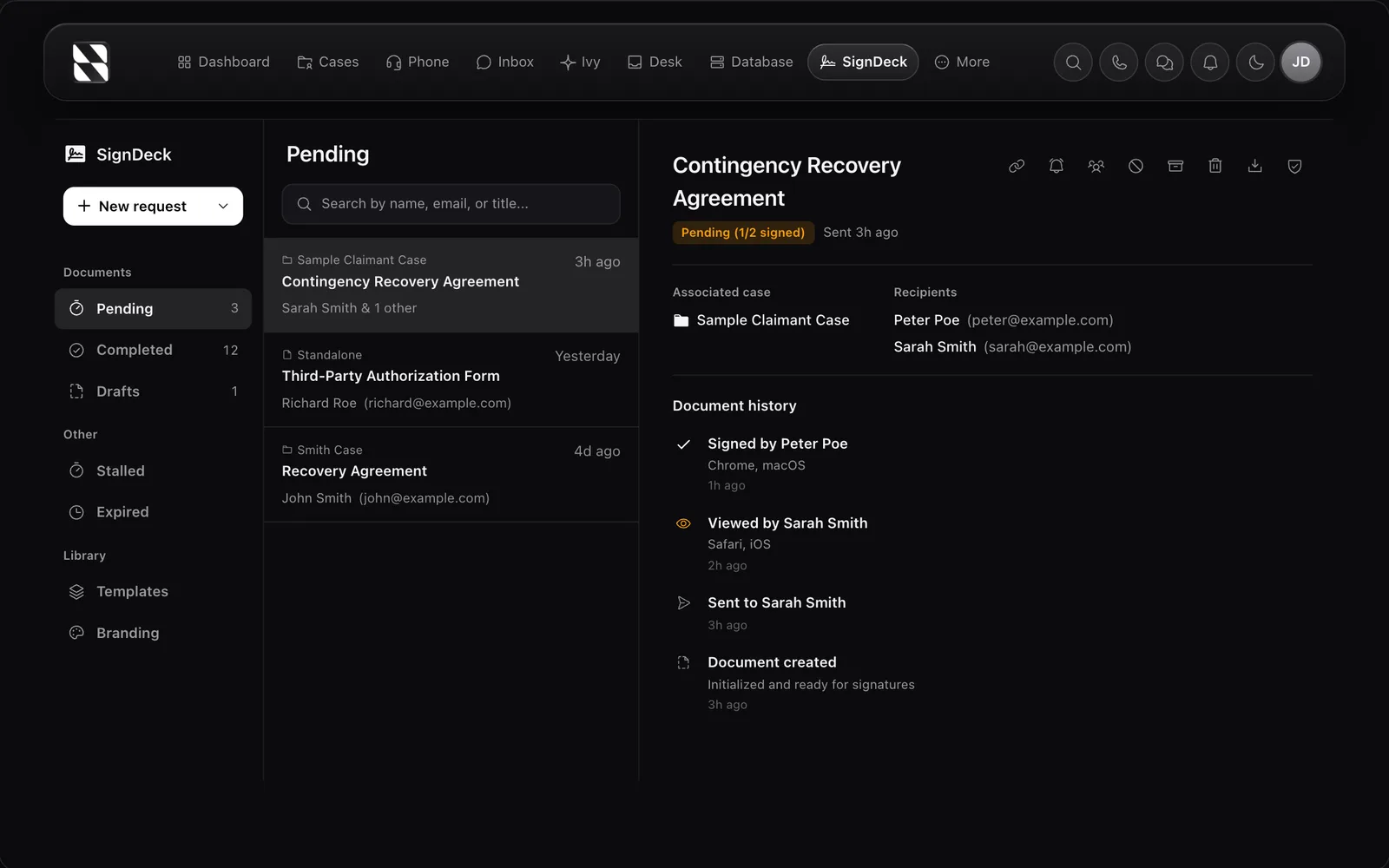
Sending a contingency recovery agreement for e-signature with SignDeck in Surplus Funds. Every view and signature is logged with the time and device. Demo data.

E-signatures

Ivy AI assistant in Surplus Funds
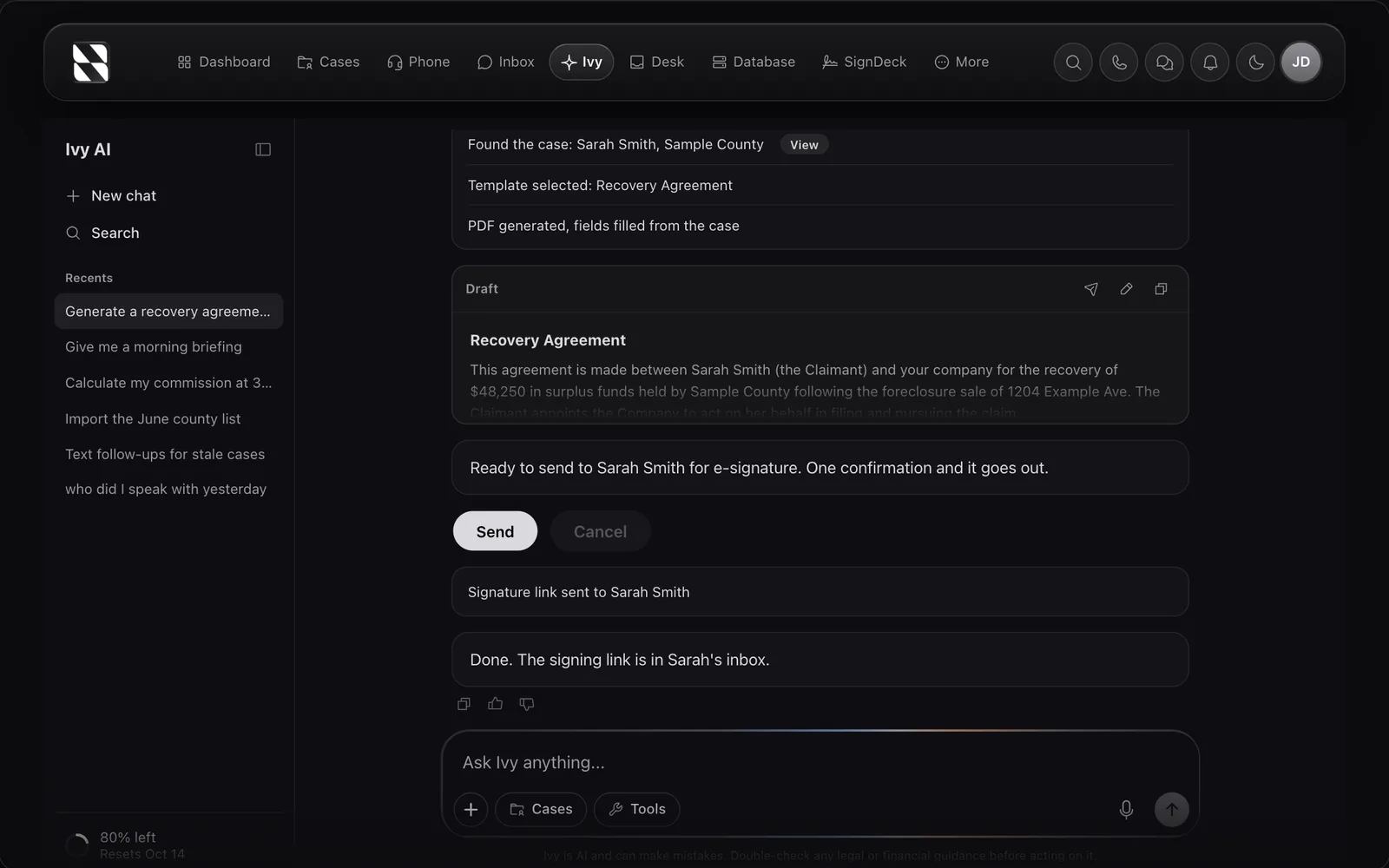
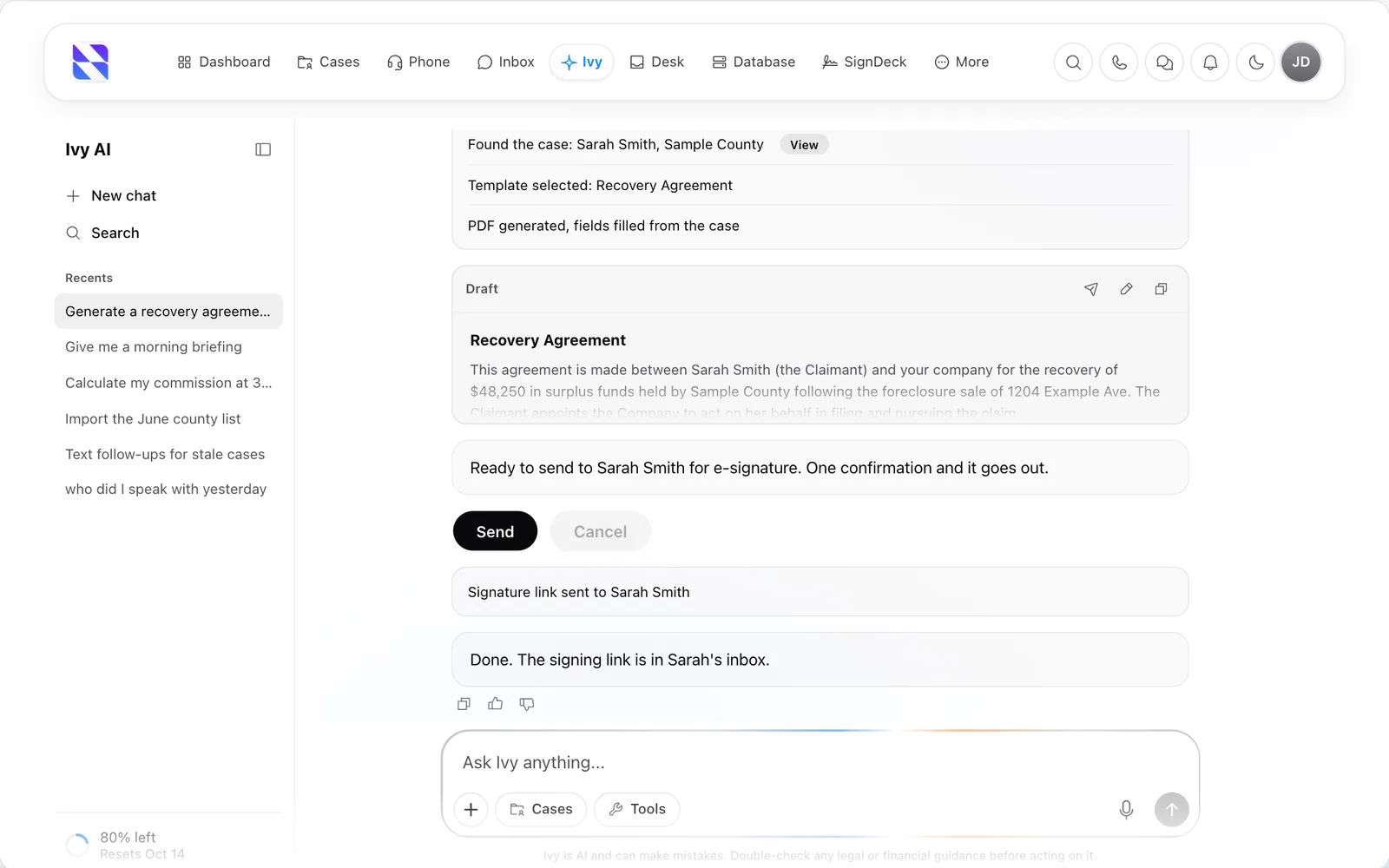
Ivy, the AI assistant in Surplus Funds, drafting a recovery agreement from a case and sending it for e-signatureIvy, the AI assistant in Surplus Funds, drafting a recovery agreement from a case and sending it for e-signature (light mode)
Ivy, the AI assistant in Surplus Funds, finds the case, fills a recovery agreement from it and sends it for signature after one confirmation. Demo data.

Ivy AI

Surplus Funds Desk

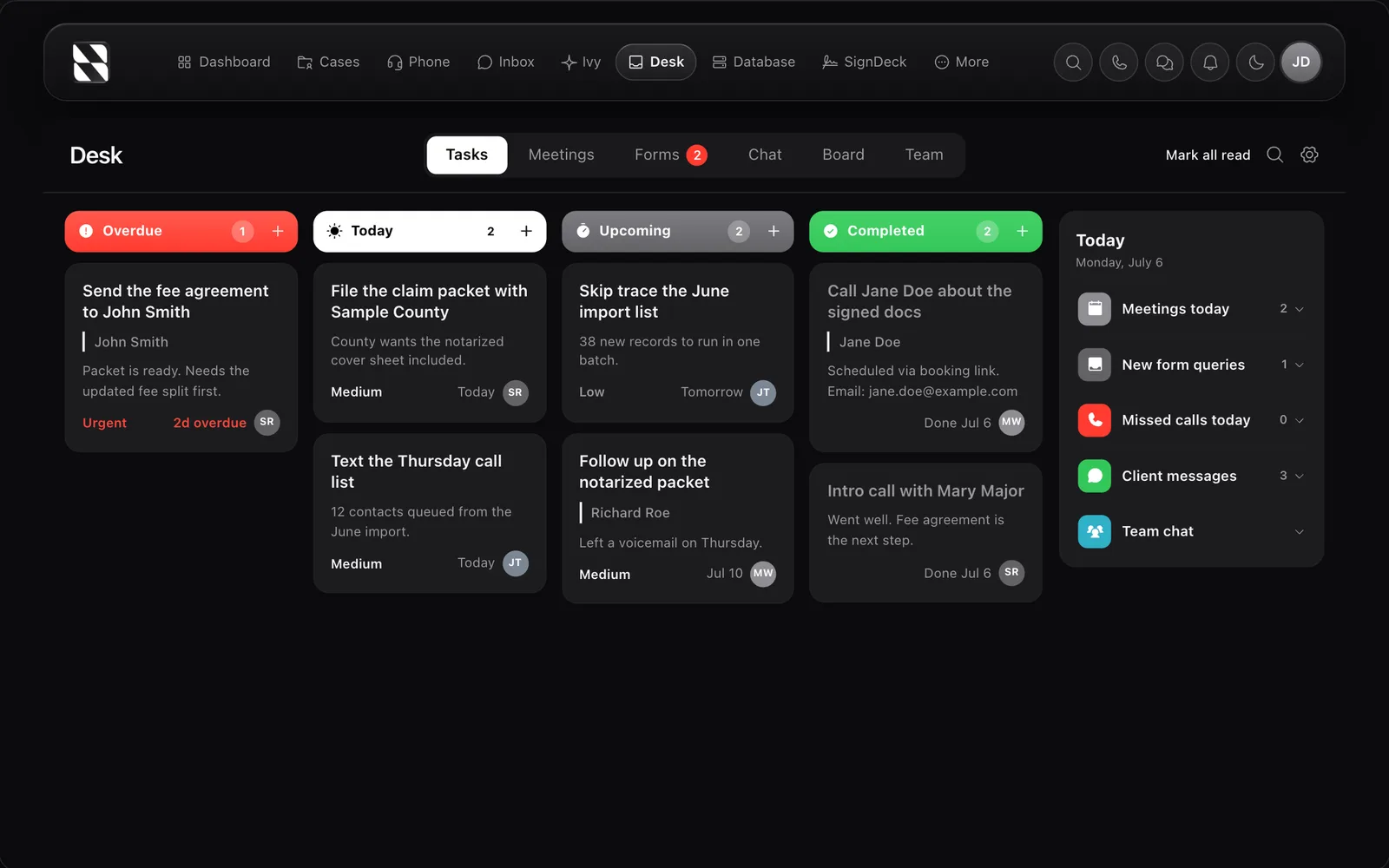
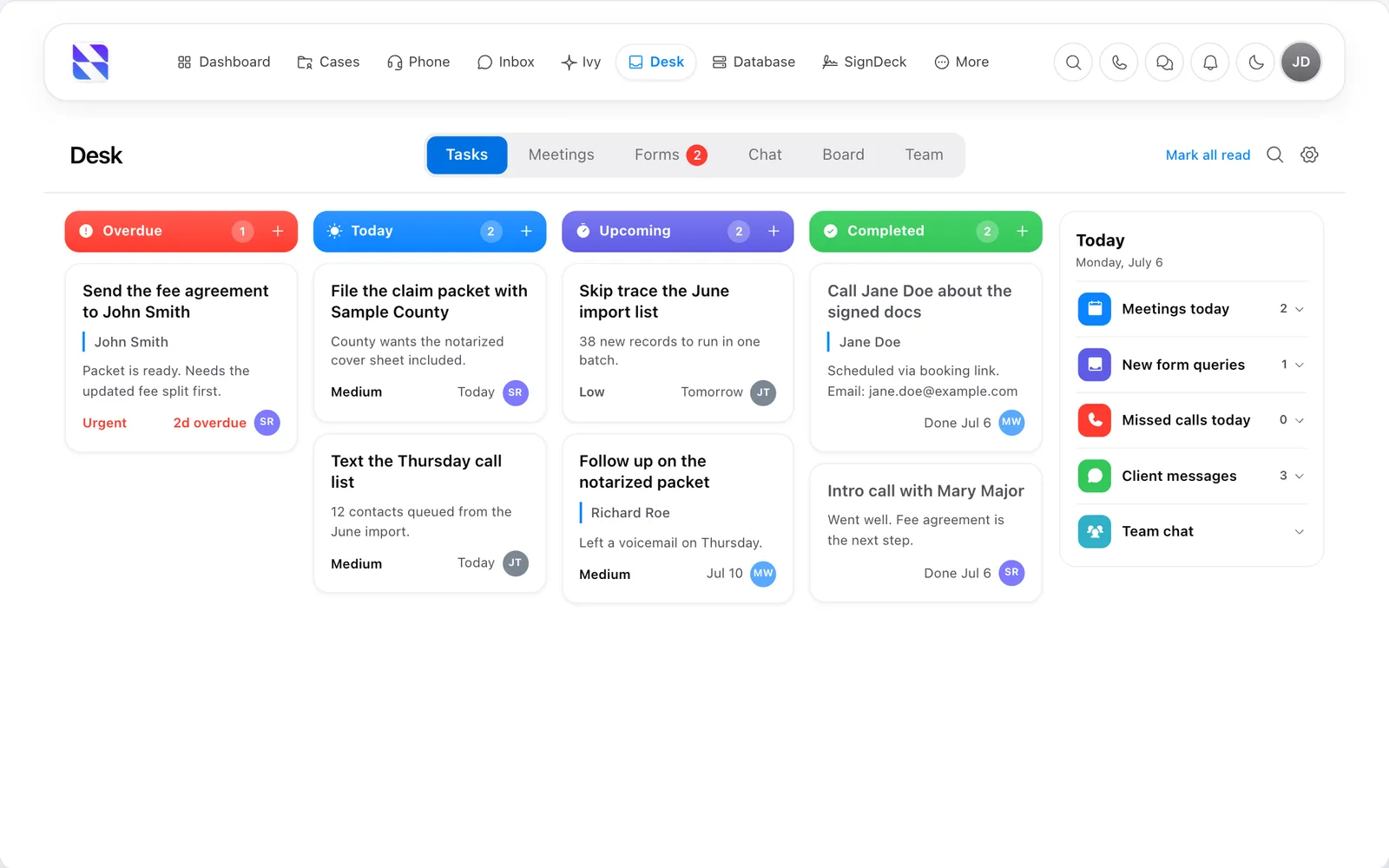
Surplus Funds Desk with team tasks grouped as overdue, today, upcoming and completed, beside a summary of the daySurplus Funds Desk with team tasks grouped as overdue, today, upcoming and completed, beside a summary of the day (light mode)
Desk in Surplus Funds: the team's tasks by due date, with today's meetings, web form leads, missed calls and client messages in one place. Demo data.

Desk

Surplus Funds skip tracing

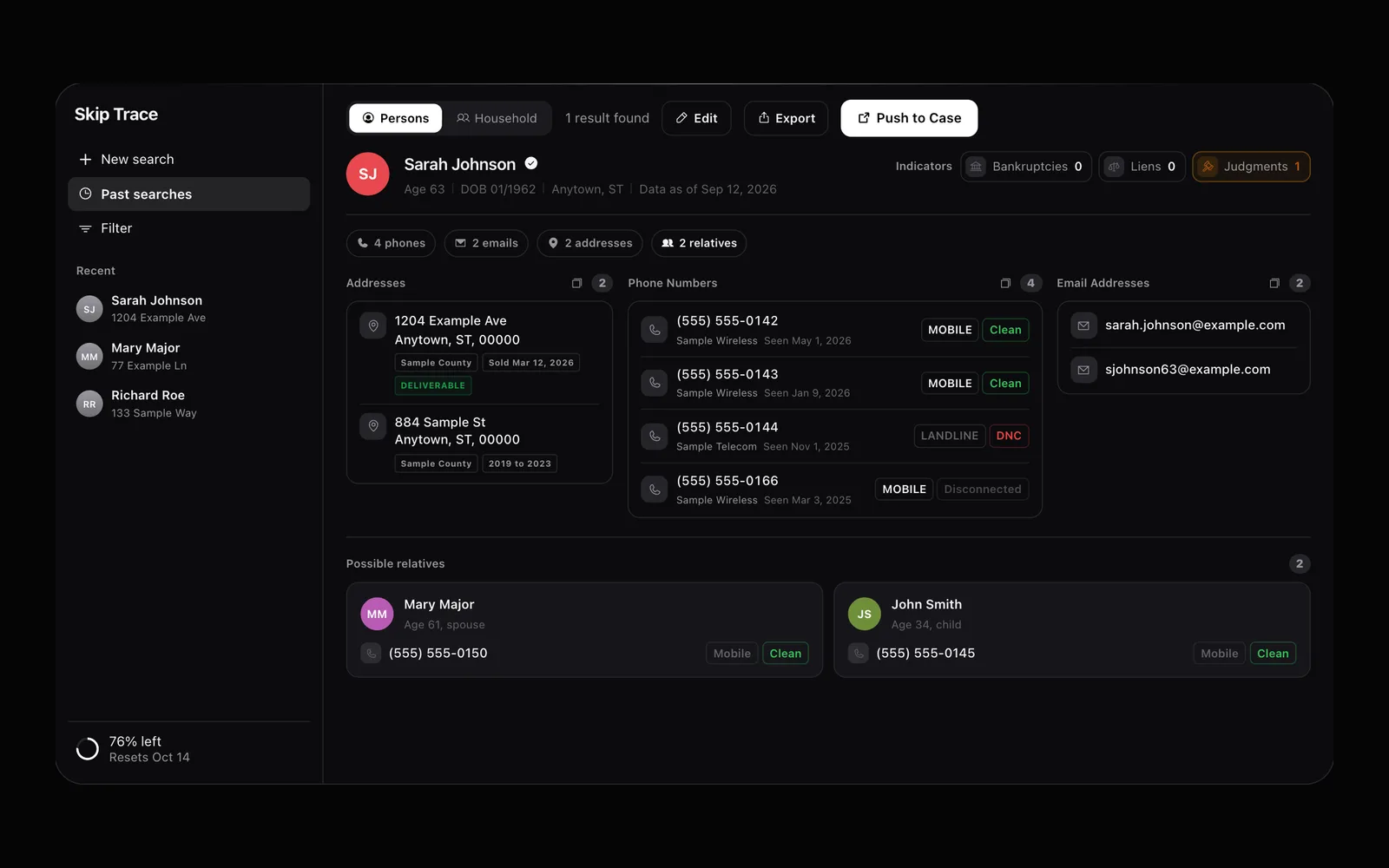
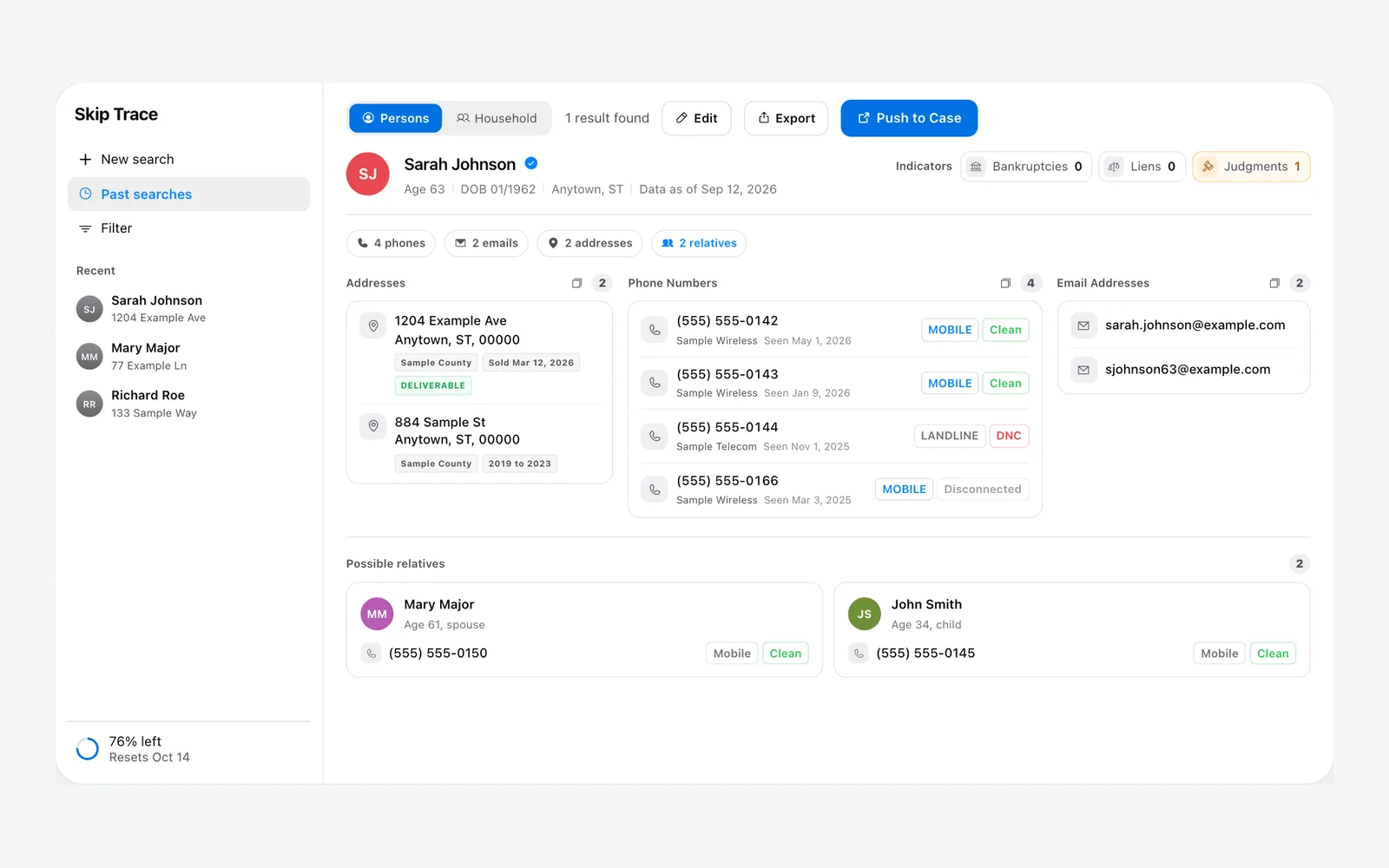
Surplus Funds skip trace result with phone numbers, email addresses, past addresses and possible relativesSurplus Funds skip trace result with phone numbers, email addresses, past addresses and possible relatives (light mode)
A skip trace in Surplus Funds returns phone numbers with line type, email addresses, past addresses and possible relatives, ready to add to the case. Demo data.

Skip tracing

Surplus Funds Mailroom direct mail
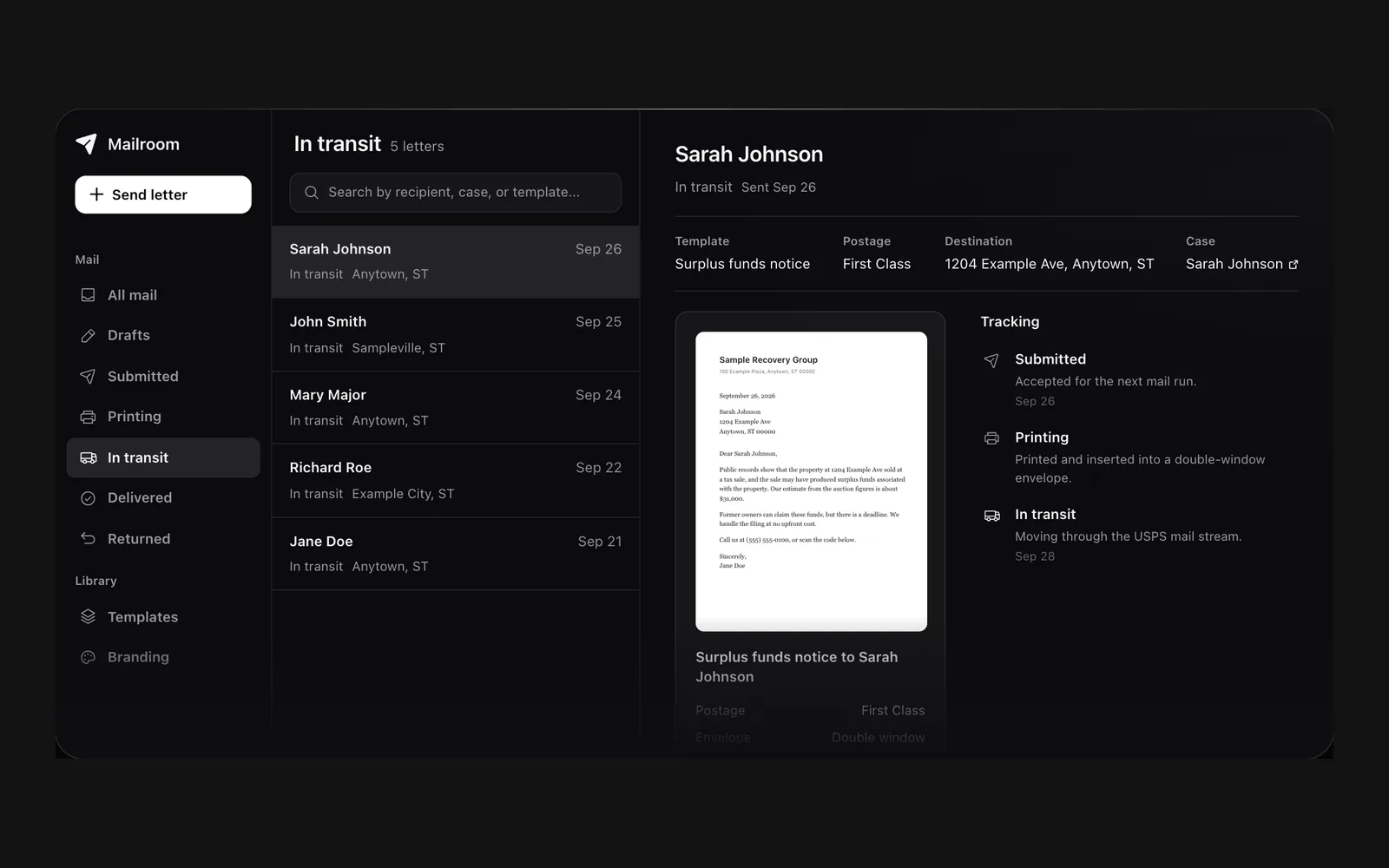
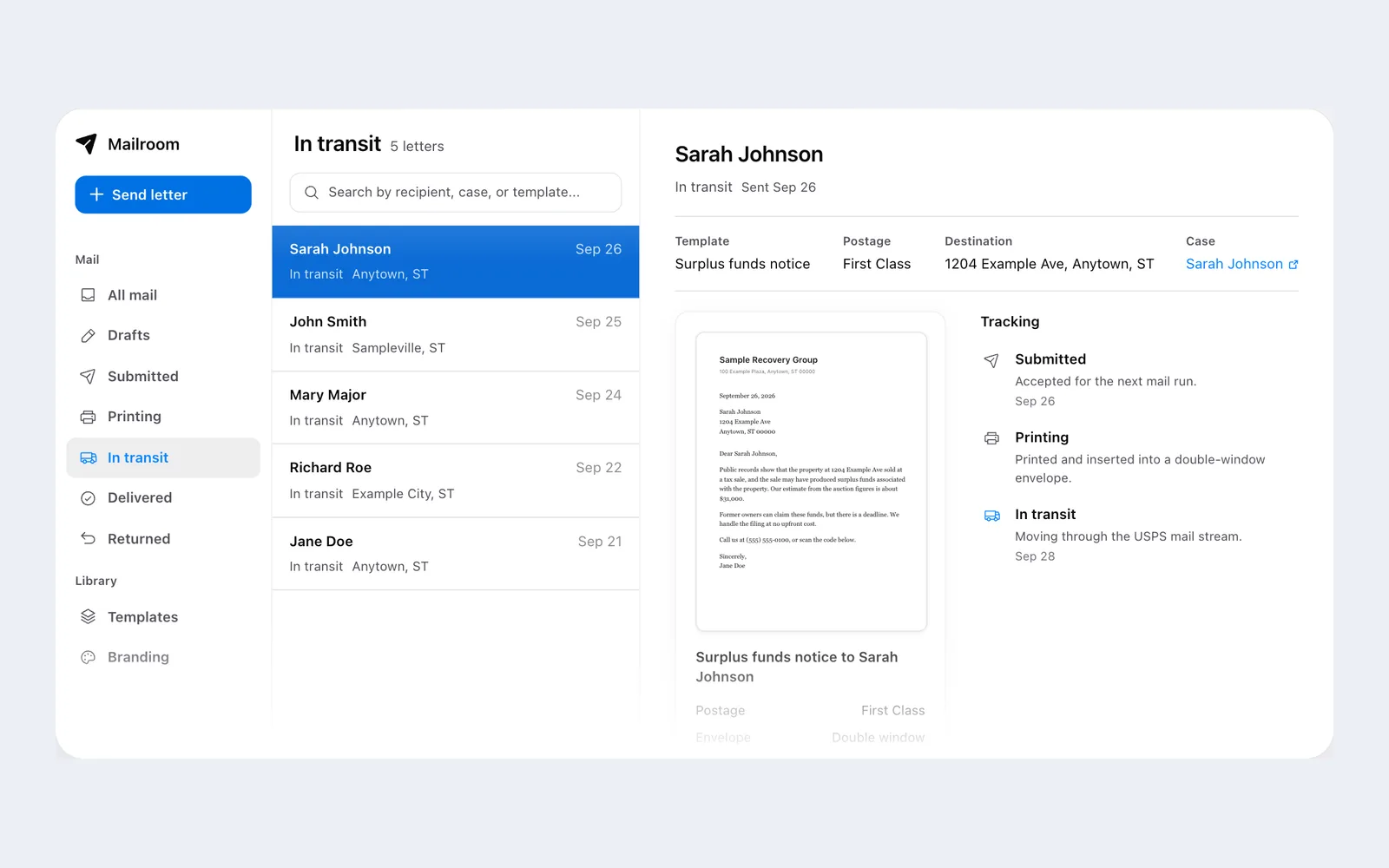
Surplus Funds Mailroom showing a surplus funds notice letter in transit with print and delivery trackingSurplus Funds Mailroom showing a surplus funds notice letter in transit with print and delivery tracking (light mode)
Direct mail from Surplus Funds. Letters are printed and mailed for you, and each one is tracked from submitted to printing to in transit. Demo data.

Direct mail

Surplus Funds mobile app

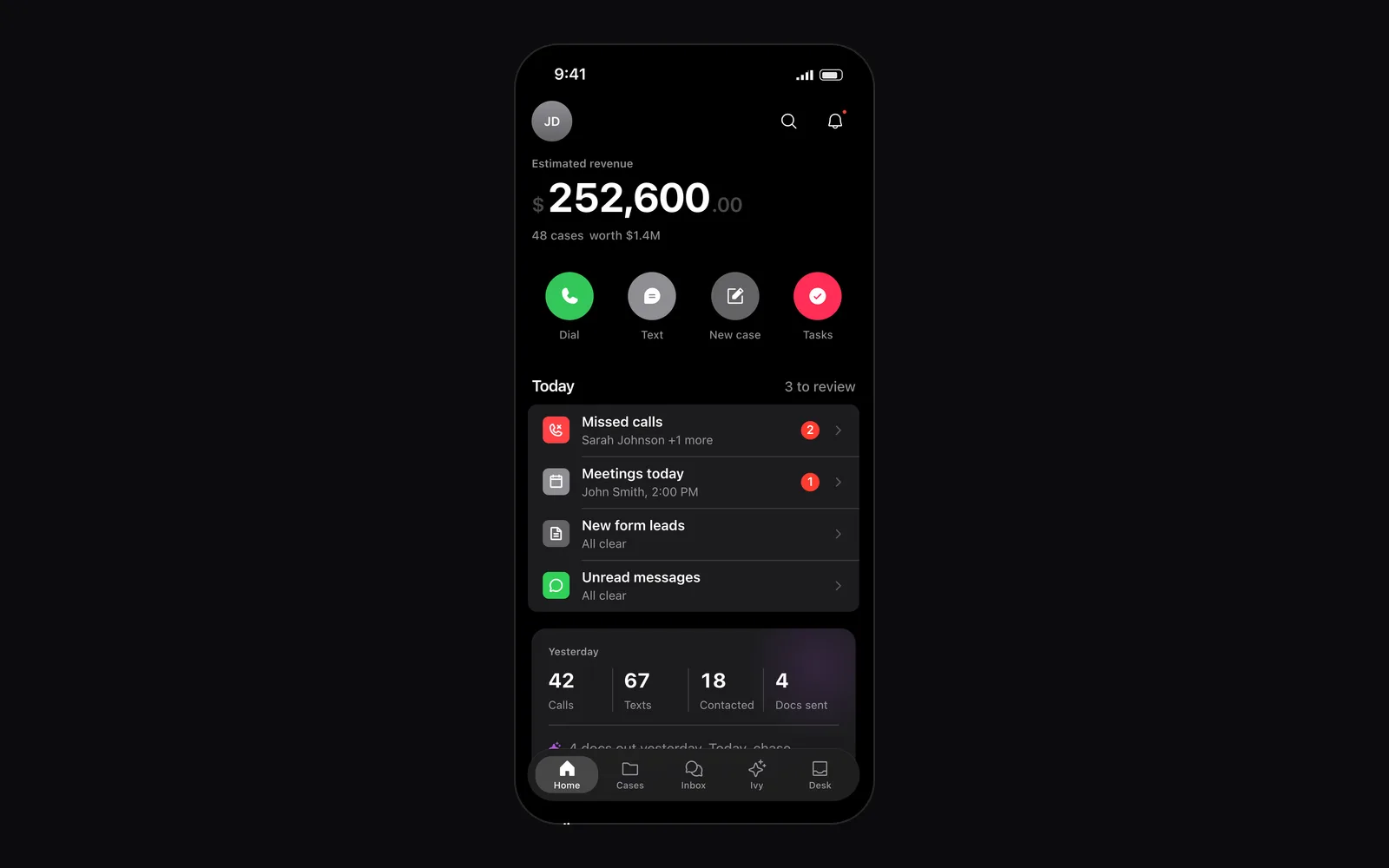
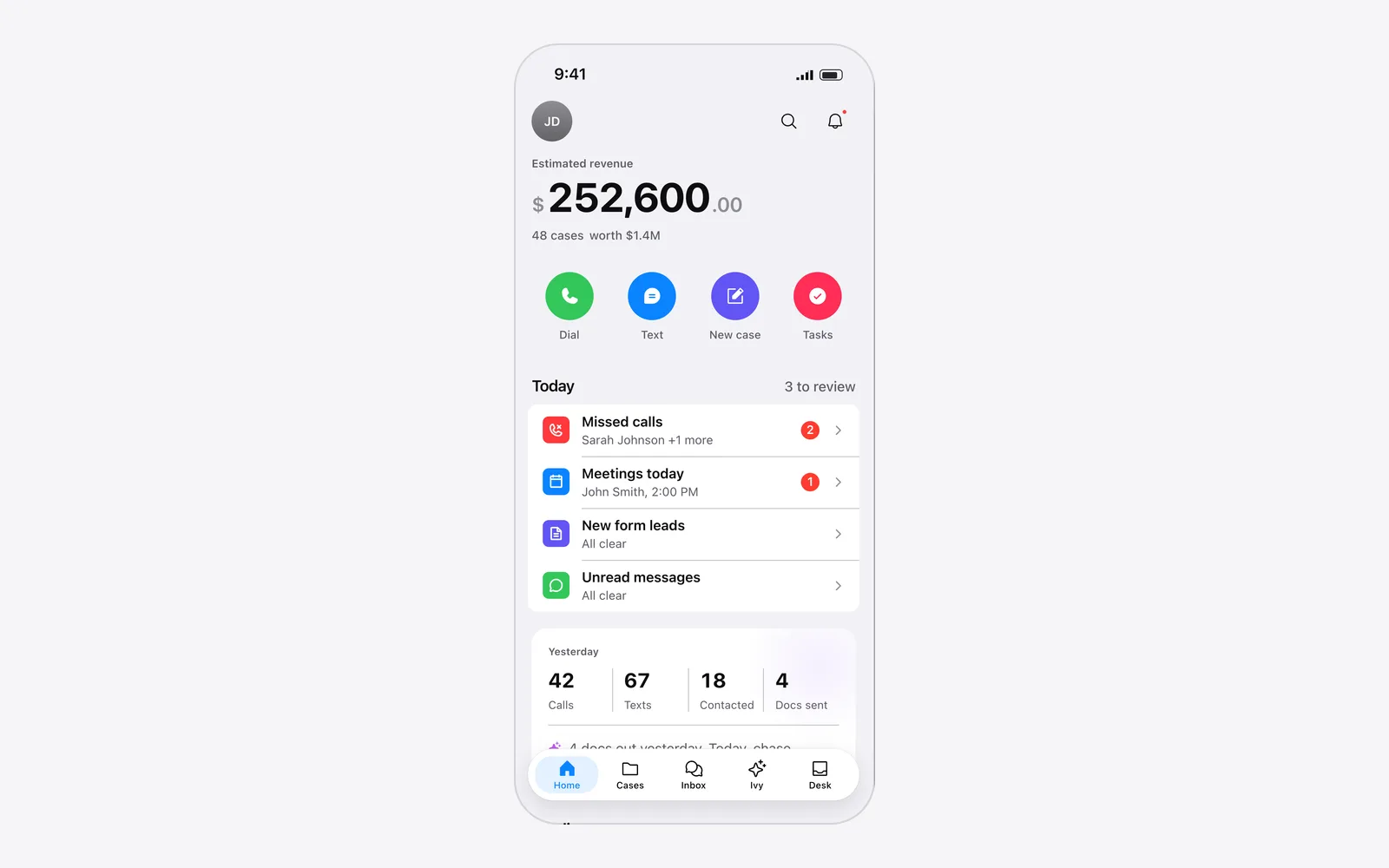
Surplus Funds mobile app home screen with estimated revenue, quick actions, today's missed calls and meetings, and an Ivy summarySurplus Funds mobile app home screen with estimated revenue, quick actions, today's missed calls and meetings, and an Ivy summary (light mode)
The Surplus Funds app for iPhone and Android: estimated revenue, one-tap dial, text and new case, today's follow-ups and an Ivy summary of yesterday. Demo data.

The mobile app

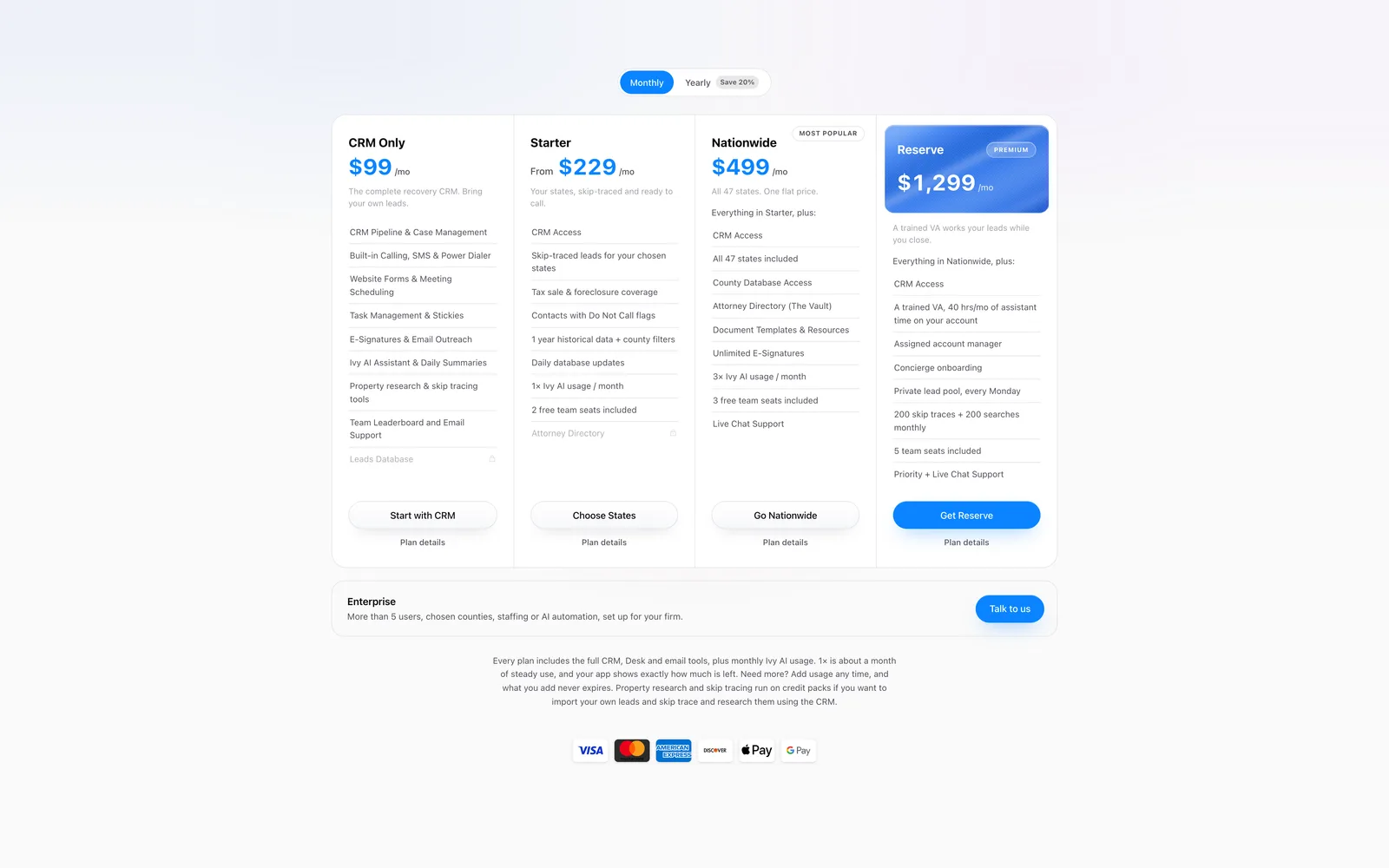
Surplus Funds pricing plans
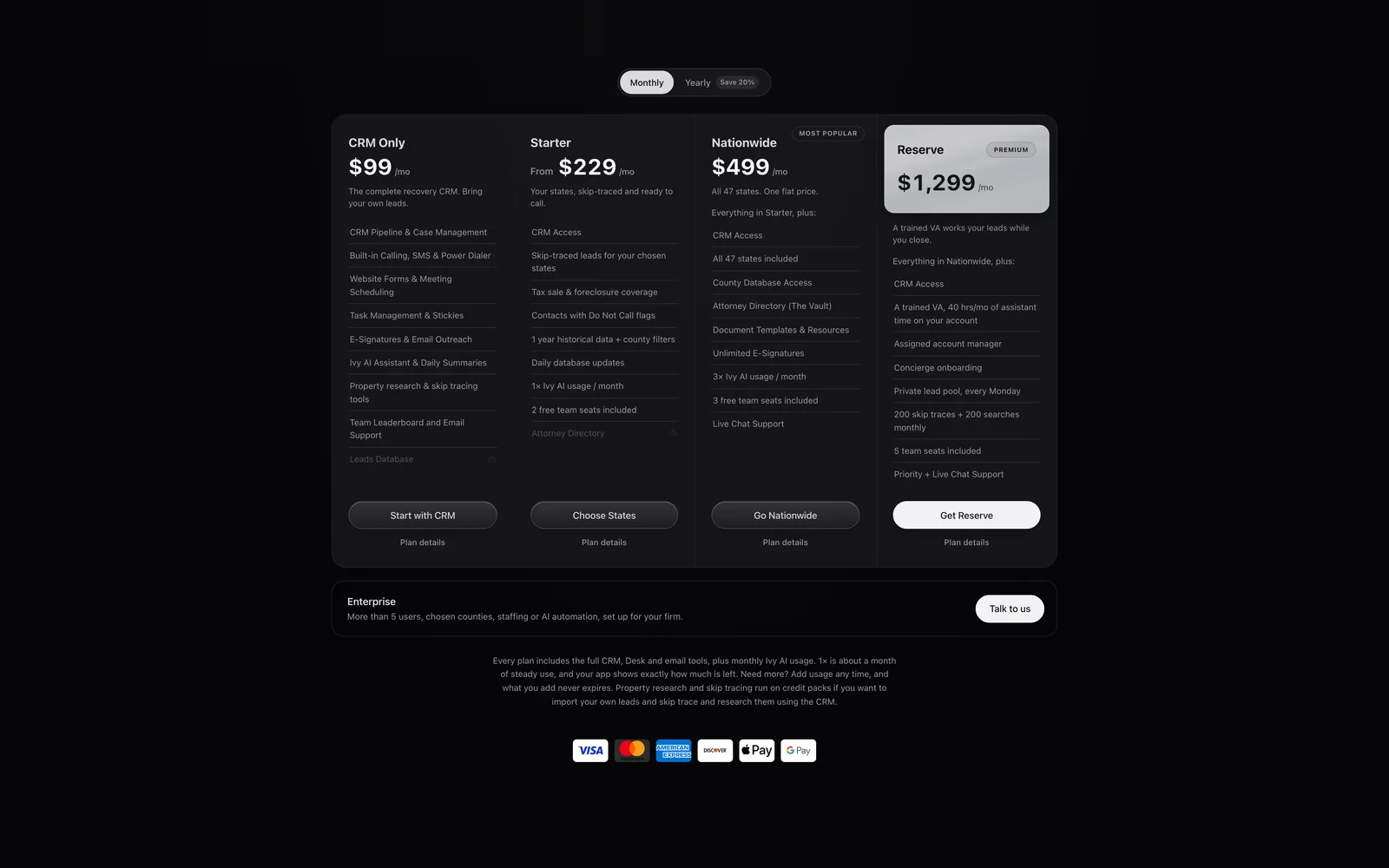
Surplus Funds pricing plans: CRM Only $99, Starter from $229, Nationwide $499 and Reserve $1,299 a monthSurplus Funds pricing plans: CRM Only $99, Starter from $229, Nationwide $499 and Reserve $1,299 a month (light mode)
Surplus Funds plans, billed monthly or yearly. Every plan includes the full CRM, Desk and email tools, plus monthly Ivy AI usage.

Pricing