Power dialer for surplus funds
You talk. It dials.
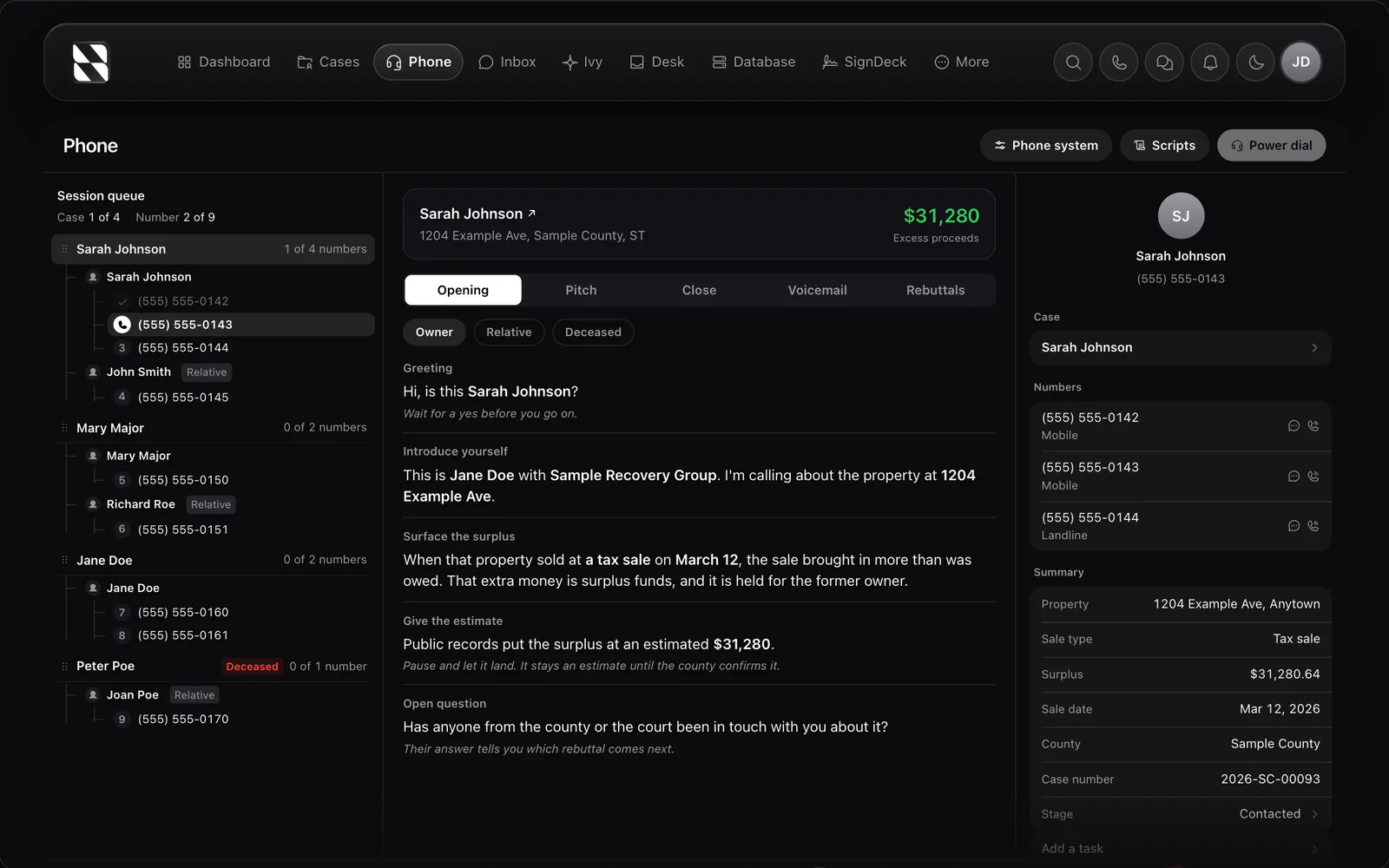
The Phone page lives inside the CRM. Pick the cases you want to call and it steps through number after number with the script and the case beside you while you talk.
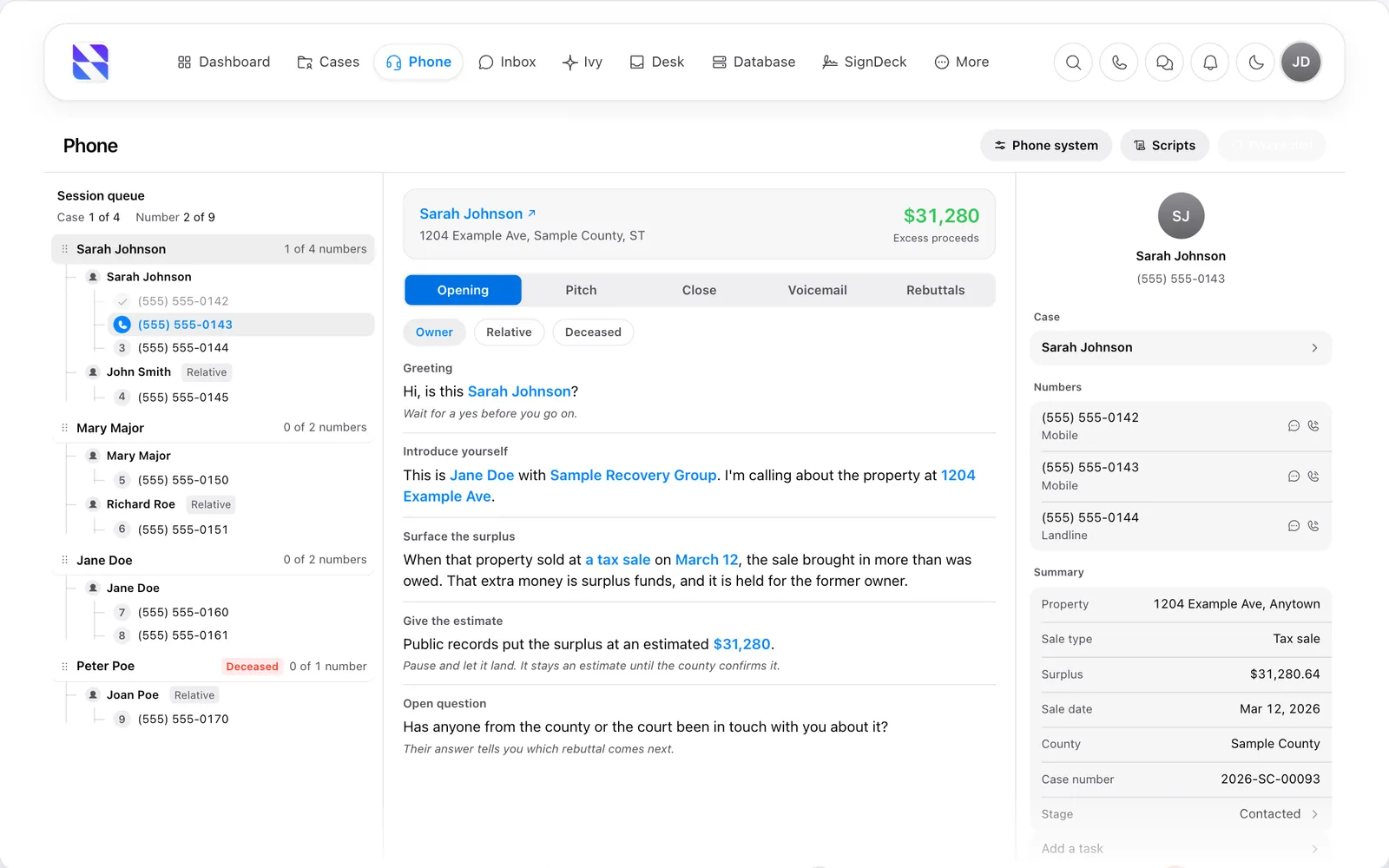
Mid session: the queue on the left, the script and the case in the middle, every number on the case to the right, and the call bar with mute, hold, transfer and the call count.
Pick who to dial
Filter the cases. Start the session.
Search by name, case number or address. Filter by state, stage, owner or tag. Tick the cases and every number on them joins the queue, in the order you want.
The picker over the Phone page. Sort by what came in, sale date or proceeds; DNC numbers are held back before you start.
After the call
Outcome, note, next.
Every call ends on a wrap-up: pick the outcome, leave a note or book the callback, and the queue moves on. Nothing about the conversation lives only in your head.
The wrap-up in the middle of the page, with the next number already lined up on the left and the case still on the right.
The dialer
Click a number. It dials.
Open a case and click any phone number. The dialer floats over your work with the case still on screen.
No copy-paste, no second screen. The number fills from the contact card, and any number on the National Do Not Call Registry is flagged for your review before you call.
Compliance
Guardrails built in.
Cold calling this list is your business. Keeping the tooling on the right side of the rules is ours.
Do Not Call flags
Numbers on the National Do Not Call Registry are flagged and held for your review before you call, and anyone on your organization's opt-out list is always blocked.
TCPA-aware calling
Consent tracking and calling-window awareness are built into the dialer, so the tooling helps you stay on the right side of the rules.
Recordings on the case
Every recorded call is stored with the case file. Play it back, download it, or hand it to a teammate for review.
Every call attributed
Calls are logged to the user who made them, so you can see exactly who called whom and when across your operation.
Built for outreach
Every outreach tool in one place.
Click-to-call, recording, SMS, and case context. No third-party dialer subscription required.
Pick who to dial
Search by name, case number or address, or filter by state, stage, owner and tags. Pick the cases and every number on them lines up in one session queue, with DNC numbers held back for review.
The script beside you
Opening, pitch, close, voicemail and rebuttals, with the case's own name, amount, sale date and county filled in. It switches wording when you reach a relative or an estate instead of the owner.
Full case context
While you talk, the case stays on screen: the surplus, the property, the county, every number on the case and the notes. You never sound like you're reading from a cold list.
Wrap up, then next
When the call ends you pick the outcome, add a note or a callback, and the queue moves to the next number. Interested, callback booked, wrong number, do not call: it all lands on the case.
Call recording
Every call is recorded and stored with the case. Review what was said, train new team members, and keep a clean audit trail. Recordings are private to your organization.
Multi-seat ready
Invite your team or virtual assistants to dial alongside you. Every call is attributed to the user who made it, so you can see who called whom and when across your whole operation.
Pay as you go
Pay for the calls you make.
No bundled minutes, no monthly minimums, no hidden fees. The same rates on every plan, metered live in your billing dashboard.
Calls
Messaging
Lines and storage
Rates shown in USD. Usage is metered to the second for calls and to the exact segment for messages. Rates may be updated from time to time with advance notice to customers.
Replace the stack
Stop stitching dialers and spreadsheets together.
Mojo / PhoneBurner / CallTools
- Separate $99 to $200/mo subscription
- No CRM integration, spreadsheet imports
- No case context on screen while you talk
Phone + Google Sheets
- Manual dialing is slow
- No call recording, no audit trail
- Losing track of who you already called
GoHighLevel and generic REI CRMs
- Dialers exist but are not built for surplus funds
- No surplus-specific case fields or context
- No compliance guardrails for this work
Want someone else to dial?
Our trained virtual assistants work inside this same dialer on your behalf. Surplus-funds-trained, same-week start, no onboarding fee.
Meet the VAsScreenshot
One plan.
Every tool.
Twelve tools for surplus funds recovery in one workspace, instead of a subscription for each.
Starting from
Starting from 99 dollars a month
Includes
- CRM & Pipeline
- Power Dialer
- SMS Campaigns
- Email Outreach
- Direct Mail
- E-Signatures
- Meeting Scheduling
- Website Forms
- AI Assistant
- Property Research
- Skip Tracing
- Team Leaderboard
Month to month, cancel anytime. Calls, texts, postage, skip traces and property searches are paid as you use them.
Surplus funds power dialer, answered.
No. The power dialer is built into every paid Surplus Funds plan. You do not need to pay for Mojo, PhoneBurner, CallTools, or any third-party dialer. One subscription, one login.
Calls and messages are transparent pay-as-you-go at the rates shown above. Outbound calls are $0.0168 per minute. Inbound calls are $0.0102 per minute. SMS is $0.0095 per 160-character segment. There are no monthly minimums and no hidden fees. You can see your usage live in the billing dashboard at any time.
No. Plans include product features (leads database, attorney directory, seats, state access) but calls and messages are billed separately on pay-as-you-go rates. This keeps your monthly bill predictable: you pay for the product once, and for calls/messages based on what you actually use.
Numbers on the National Do Not Call Registry are flagged and held for your review before you call. Anyone on your organization's opt-out list is blocked. You stay responsible for following the TCPA and the calling rules in your state.
Yes. Every paid plan supports multiple seats, and you can invite virtual assistants (including ours) to call on your behalf with full case context. VA activity is attributed to the VA user so you can see exactly who called whom.
Yes. The power dialer runs in your browser, so it works on desktop, laptop, tablet, and phone. You can make calls from anywhere you have an internet connection.
Recordings are stored alongside the case file. You can play them back, download them, or hand them off to a team member for review. Recordings are private to your organization. We never share your data with other accounts.
More built-in features
Everything works together inside one surplus funds recovery platform.
Ready to dial your leads?
The power dialer is included in every paid Surplus Funds plan. From $99/mo.